

Battlegrounds Mobile India has finally arrived, and you can now download the beta version of the game on your Android smartphone. Battlegrounds Mobile India appears to be allowing users to carry over their PUBG Mobile data. If you already have the game installed, read on to learn how to transfer PUBG Mobile account to Battlegrounds Mobile India.
Krafton gives you an option to transfer your game data from PUBG Mobile India to Battlegrounds Mobile India. You should be prompted to connect your account automatically. If you haven’t received this prompt yet, you can do it manually by going to the Settings menu. The option to transfer your account should be right at the top of the page. We have provided a detailed overview of how to transfer your account from PUBG Mobile to BGMI on Android.
How to Transfer PUBG Mobile Account to Battlegrounds Mobile India
Here we share different methods to officially transfer your old PUBG mobile account data to Battlegrounds Mobile India. You can log in to the game via Facebook, Twitter, or even Google Play. The data transfer, however, is limited to Facebook and Twitter. Users that synchronized their PUBG Mobile account data with Google Play Games will be unable to transfer their account data.
Method 1: Transfer Data from PUBG Mobile to Battlegrounds Mobile India via Facebook and Twitter
- Download and Install BGMI on your phone.
- Launch Battlegrounds Mobile India and create a new account by using Facebook, Twitter, or Google Play Games.
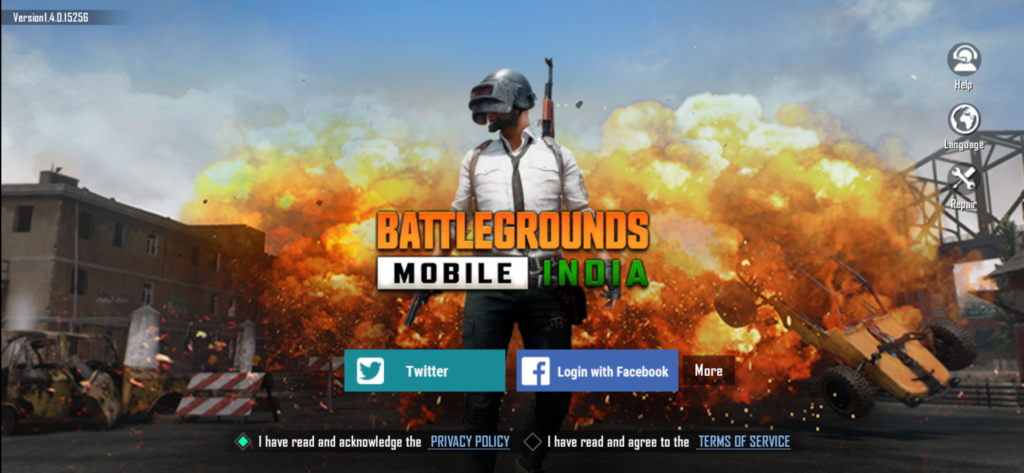
- To create a new account, you must first accept the terms and conditions.
- Create a new character to complete this process.
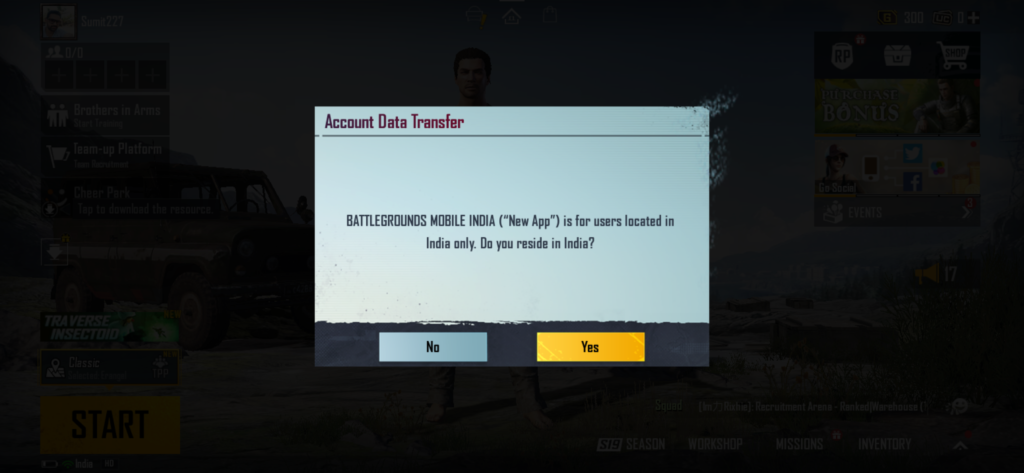
- A popup window will now appear, asking if you live in India or not. Simply press the ‘Yes’ button.
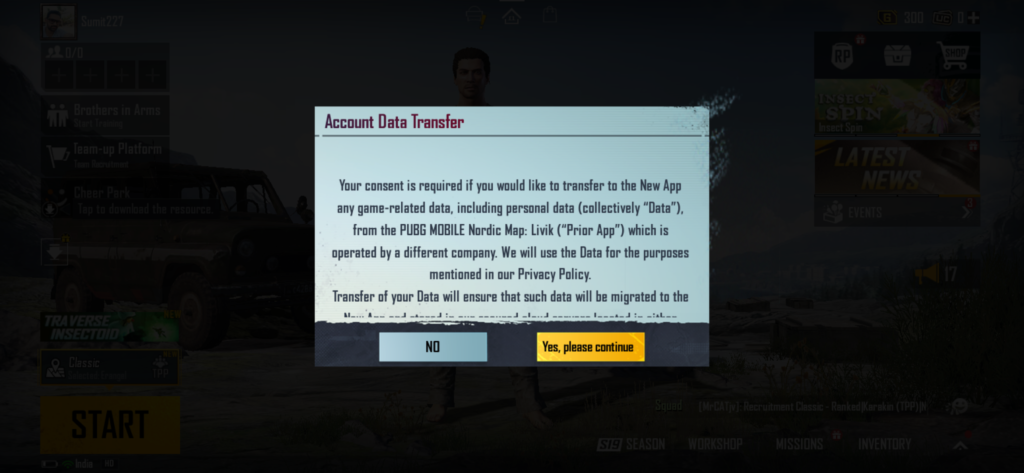
- A new pop-up will appear, asking if you want to transfer your existing PUBG Mobile data to this new account. To confirm your activity, tap “Yes, please continue.”
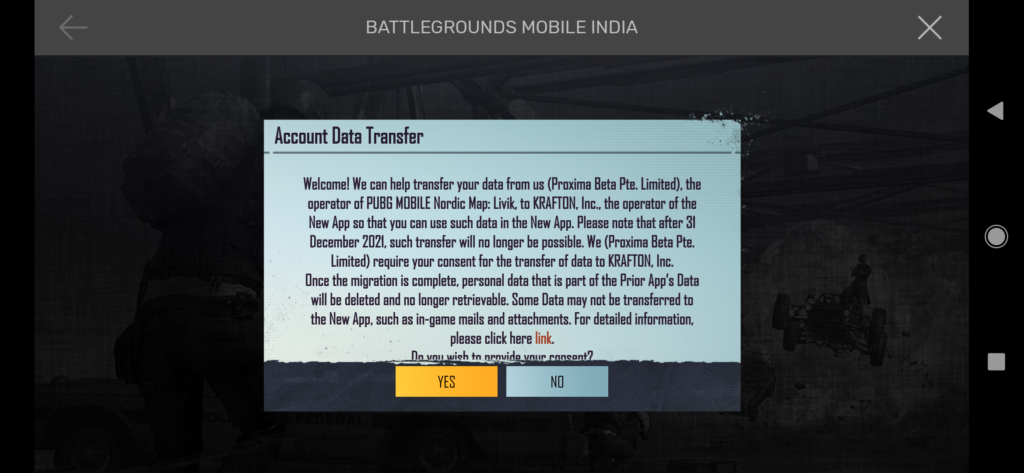
- You’ll now see a new message stating that your previous account’s data will be deleted once you migrate your PUBG Mobile data to BGMI. To give your approval, press the ‘Yes’ button.
- Now select the Facebook/Twitter ID linked with your PUBG Mobile and tap on ‘OK’.
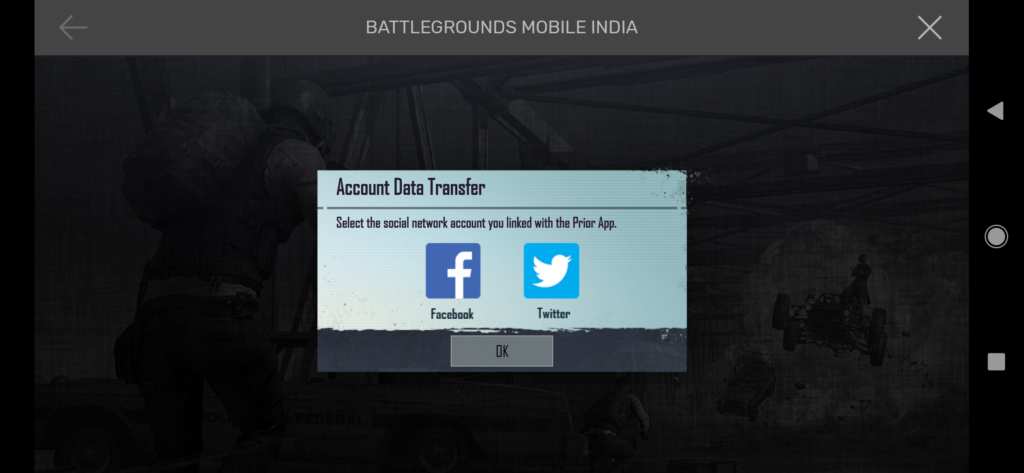
- Finish the login process. The option to confirm the data transfer will now appear. Tap the ‘Yes’ button.
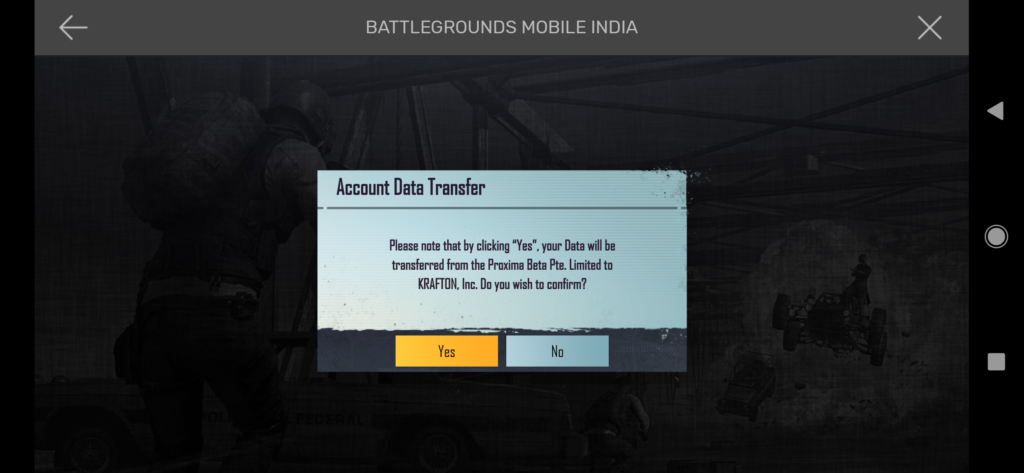
- After the process is finished, you will see the login screen again, press the ‘Continue’ button. You have to wait a few hours for this screen to see as it took time to transfer PUBG Mobile data to Battlegrounds Mobile India.
Method 2: Transfer Old PUBG Mobile Account to BGMI from Settings
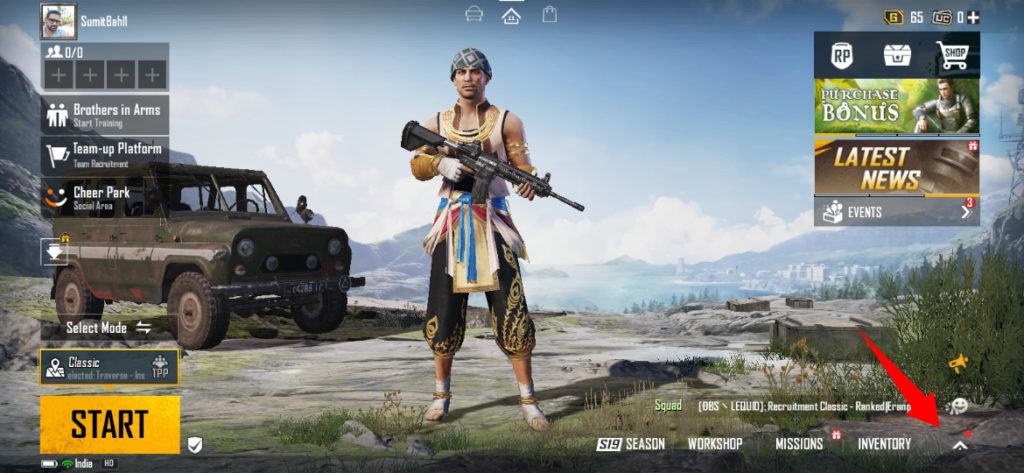
- From the BGMI lobby screen, tap on the upwards arrow icon at the bottom right corner.
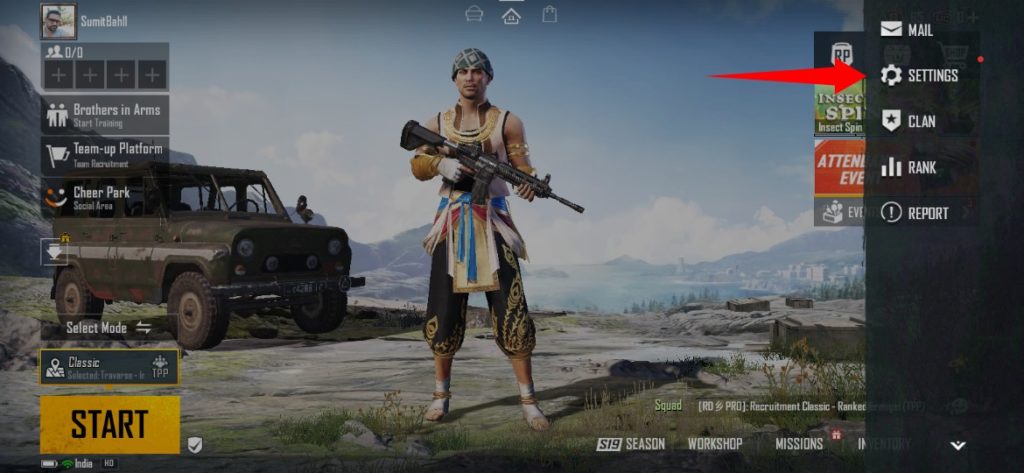
- Next, tap on the ‘Settings‘ option.
- Under the ‘Basic’ tab, click the ‘Account Transfer’ option.
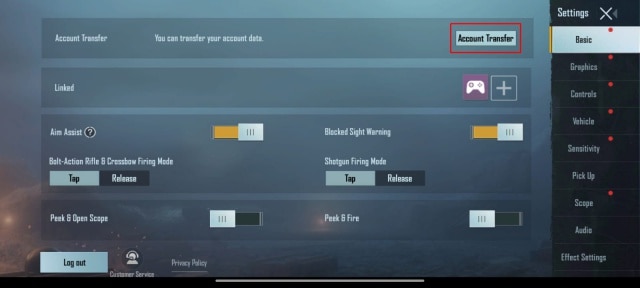
- Done! You can use the Account transfer option to move your PUBG Mobile data to Battlegrounds Mobile India.
How to Transfer Data From PUBG Mobile to BGMI via Google?
According to Battlegrounds Mobile India, “Google no longer accepts sign-ins from embedded browsers.” However, Players can use the VPN to download the PUBG Mobile from the official website. The game can then be installed by sideloading this APK onto your Android smartphone. Players can then sign in with their Google Play Games account and sync the same account with their Facebook or Twitter ID, as in a first manner.
What Changes Post Transfer?
According to the developers, gamers can transfer usernames, character IDs, basic information, season prizes, and mission progress, among other things. They will not, however, transfer phone numbers, messages, ranks, in-game friends, connection, clan data, and other information. Furthermore, the creators have said that you will be unable to transfer your account data to Battlegrounds Mobile India after December 31, 2021.
Wrapping Up: Transfer PUBG Mobile India Data to Battlegrounds Mobile India
If you don’t want to start playing the game from the beginning and want your previous data restored, then use the steps described above to Transfer PUBG Mobile Account to Battlegrounds Mobile India.
Have any questions? Do let us know that in the comments below. Stay connected with us via Facebook and Twitter to read more such helpful posts.
