Author

Sumit Bahl

Browsing

Google announced Android 12 at Google IO 2021, showcasing a refreshed UI. Android 12 is a much-enhanced version with a slew of new features and improvements. Android 12 Beta and the Android 12 Beta GSI already go live for all Android phones with treble support and custom ROMs for Android 12 will be available soon. In that case, GApps will be required. We’ve included a link to Download GApps For Android 12.

Various developers have already begun developing custom ROMs, and we will soon see custom ROMs running on Android 12. You’ll need the Android 12 GApps if you are going to install custom ROMs based on Android 12.

The Android 12 GApps consists of primary apps from Google Inc including Play Store, Play Services, Gmail, Calendar, Clock, Google Maps, Photos, Drive, YouTube, Digital Wellbeing & more. This article will assist you if you are using an Android 12 custom ROM and are having trouble getting the Android 12 GApps package. Download GApps For Android 12 from below.

Download GApps For Android 12

We’ve included a direct link to Download Android 12 GApps. The GApps for Android 12 is all bundled in a zip file that can be flashed with a custom recovery. To use all of the Google Apps, such as Play Services, Play Store, and Dialer, you must flash the GApps along with the ROM file.

Refer to this guide to download the Latest Android 13 Gapps.

Download Android 12 BiTGApps

Android 12 BiTGApps

BitGapps is a popular package created and maintained by TheHitMan. It provides a minimal GApps package while still allowing you to use Google Services. BitGApps is optimized, tweaked, flawlessly balanced, and completely free of bloatware. BitGApps for Android 12 can be downloaded from the link below.

Download Android 12 NikGapps

Android 12 NikGapps

NikkGapps is a popular package that is created and maintained by Nikhil. NikGapps offers a wide range of packages to suit your needs. NikGapps package comes with a SetupWizard module. You have full control over what you install. You can Download NikGApps for Android 12 from below.

  • Download NikGApps for Android 12 – Download

Download Android 12 Open Gapps

Android 12 Open Gapps

Open GApps for Android 12 are currently not available. However, you can check its official website after some time to check the availability.

  • Download Open GApps for Android 12 – Download

How to Install GApps on Android 12 ROM using TWRP Recovery

First, you need the latest Gapps packages for Android 12. Once you download the right package for your device you can flash it via custom recovery. Check how to install Android 12 GApps on Android.

  1. Download the Android 12 GApps zip file from above.
  2. Boot your phone into recovery mode by turn off your phone and press Vol Down + Power for 5 seconds. (This depends on the model of the phone but this should work on most phones)
  3. Once you are in recovery, select Install and navigate to the folder where you transferred the Gapps file.
  4. Select the Android 12 Google Apps zip file and slide the Swipe to Confirm Flash on the TWRP screen to install the GApps.
  5. After the flashing is complete, restart your phone and set up a Google account.

Wrapping Up: Download Android 12 GApps

This the easiest way to Download GApps For Android 12 and install it on your device. The beauty of GApps is that it lets you choose exactly which Google Apps you want on your phone.

Have any questions? Do let us know that in the comments below. Stay connected with us via Facebook and Twitter to read more such helpful posts.

The latest Android 11 based MIUI 12.1.5.0 update for POCO X2 starts rolling out via OTA. The update brings a few improvements to the device. Follow the below guide to Download MIUI 12.1.5.0 India Stable ROM for POCO X2.

MIUI 12.1.5.0 India Stable ROM for POCO X2 is a stable version and can be flashed via Recovery or via Fastboot. You can download MIUI 12.1.5.0 for POCO X2 from below.

You can Download POCO X2 MIUI 12.1.5.0.RGHINXM ROM from below and also manually check for the update by going to Settings -> About Phone -> System updates -> Check for update. Download MIUI 12.1.5.0 Stable ROM for POCO X2 from below.

Note:-

  • This Firmware file is only for POCO X2. Don’t try this on any other device.
  • Follow the steps correctly otherwise you may brick your device. We are not responsible for any damage to your phone.
  • It may erase your data, so it is advisable to take a complete backup of your phone for a safer side.
  • Ensure that your phone has at least 50-60% charged to prevent the accidental shutdown in between the process.

Download MIUI 12.1.5.0 India Stable ROM for POCO X2

  • POCO X2 MIUI 12.1.5.0 OTA update – Download
  • MIUI 12.1.5.0 Recovery ROM for POCO X2 – Download (Mi Pilot Only)
  • MIUI 12.1.5.0 Fastboot ROM for POCO X2 – Coming Soon

How to Install MIUI 12.1.5.0 India Stable ROM on POCO X2 –

To install MIUI 12.1.5.0 update for POCO X2 download either Recovery ROM or Fastboot ROM from above and use the below method to install this on your device.

Method 1 – Recovery Mode

Recovery Mode

  1. Download Android 11 ROM for POCO X2 from above and save it on your device.
  2. Now launch the ‘Updater‘ app on your device.
  3. Click on the three-dot menu (‘…’ icon) at the top-right corner, and select the ‘choose update package‘.
  4. Browse through the files and select the package ending with .zip extension.
  5. Done. Your device will reboot on the latest version.

Method 2 – Fastboot Mode

1) First, Download Mi Flash Tool, extract it and install it on your PC.

2) Now download Fastboot ROM for POCO X2 for your device.

3) Now boot your device into Fastboot mode by pressing the ‘Volume Down + Power‘ button.

4) Connect your device to the PC via a micro USB cable.

5) Now extract the Fastboot ROM and copy its path on the PC.

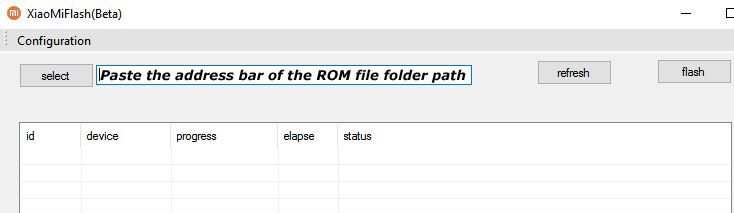
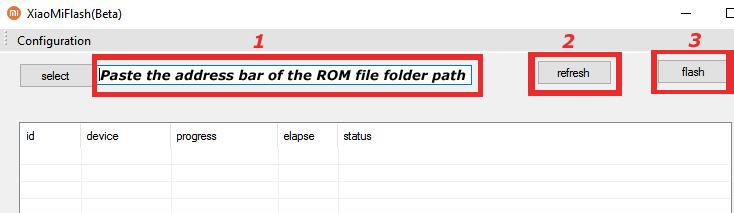
6) Now open MI Flash Tool and Paste the address bar of the ROM file folder path copied from above.

Mi Flash

7) First, click on the ‘Refresh‘ button (It will automatically recognize your device) and then click on the ‘Flash‘ button to flash MIUI 12 ROM on your Devices.

Mi Flash

8) Wait for some time to complete the process.

9) Done. Your device will boot on the latest version.

Wrapping Up:

Download MIUI 12.1.5.0 India Stable ROM for POCO X2 and flash it to update it manually. Comment below if you have any doubts.

The latest MIUI 12.5.2.0 update for POCO X3 Pro starts rolling out via OTA. The update is based on Android 11 and brings lots of new features along with May 2021 security patch. Follow the below guide to Download MIUI 12.5.2.0 Global Stable ROM for POCO X3 Pro.

MIUI 12.5.2.0 Global Stable ROM for POCO X3 Pro is a stable version and can be flashed via Recovery or via Fastboot. You can wait for the OTA or download MIUI 12.5.2.0 for POCO X3 Pro from below.

You can Download POCO X3 Pro MIUI 12.5.2.0.RJUMIXM ROM from below and also manually check for the update by going to Settings -> About Phone -> System updates -> Check for update. Download MIUI 12.5.2.0 ROM for POCO X3 Pro from below.

POCO X3 Pro MIUI 12.5.2.0.RJUMIXM Changelog –

[System]

  • New: With custom device model adjustments, any phone becomes faster after the upgrade.
  • New: Response to gestures is now instant.
  • New: With 20 times more rendering power, there are now few limits to what you can see on your screen.
  • Optimization: MIUI became lighter, faster, and more durable.
  • Updated Android Security Patch to May 2021. Increased system security.

[Notes]

  • New: Compose mind maps with complex structures.
  • New: New tools for doodling and sketching.
  • New: Press and hold a sketch to adjust the strokes automatically.
  • New: A gesture shortcut now allows you to create notes, tasks, and excerpts anywhere.
  • New: Excerpts save text, URLs, and images to Notes in a few simple taps.
  • New: Dynamic layouts bring the typography in Notes to a new level.
  • All-new Notes.

[Xiaomi Cloud]

  • New: Location info can be now reported automatically before the device is powered off

Note:-

  • This Firmware file is only for POCO X3 Pro. Don’t try this on any other device.
  • Follow the steps correctly otherwise you may brick your device. We are not responsible for any damage to your phone.
  • It may erase your data, so it is advisable to take a complete backup of your phone for a safer side.
  • Ensure that your phone has at least 50-60% charged to prevent the accidental shutdown in between the process.

Download MIUI 12.5.2.0 Global Stable ROM for POCO X3 Pro

  • MIUI 12.5.2.0 OTA for POCO X3 Pro – Download
  • MIUI 12.5.2.0 Recovery ROM for POCO X3 Pro – Download
  • MIUI 12.5.2.0 Fastboot ROM for POCO X3 Pro – Download

How to Install MIUI 12.5.2.0 Global Stable ROM on POCO X3 Pro –

To install MIUI 12.5.2.0 update for POCO X3 Pro download either Recovery ROM or Fastboot ROM from above and use the below method to install this on your device.

Method 1 – Recovery Mode

Recovery Mode

  1. Download Android 11 ROM for POCO X3 Pro from above and save it on your device.
  2. Now launch the ‘Updater‘ app on your device.
  3. Click on the three-dot menu (‘…’ icon) at the top-right corner, and select the ‘choose update package‘.
  4. Browse through the files and select the package ending with .zip extension.
  5. Done. Your device will reboot on the latest version.

Method 2 – Fastboot Mode

1) First, Download Mi Flash Tool, extract it, and install it on your PC.

2) Now download MIUI 12.5 ROM for POCO X3 Pro for your device.

3) Now boot your device into Fastboot mode by pressing the ‘Volume Down + Power‘ button.

4) Connect your device to the PC via a micro USB cable.

5) Now extract the Fastboot ROM and copy its path on the PC.

6) Now open MI Flash Tool and Paste the address bar of the ROM file folder path copied from above.

Mi Flash

7) First, click on the ‘Refresh‘ button (It will automatically recognize your device) and then click on the ‘Flash‘ button to flash MIUI 12 ROM on your Devices.

Mi Flash

8) Wait for some time to complete the process.

9) Done. Your device will boot on the latest version.

Wrapping Up:

Download MIUI 12.5.2.0 Global Stable ROM for POCO X3 Pro and flash it to update it manually. Comment below if you have any doubts.

Have any questions? Do let us know that in the comments below. Stay connected with us via Facebook and Twitter to read more such helpful posts.

Good news for Mi 9 users, the latest Android 11 update for Mi 9 starts rolling out via OTA for Mi testers. The update is based on Android 11 and brings lots of new features and improvements. Follow the below guide to Download MIUI 12.5.1.0 Global Stable ROM for Mi 9.

MIUI 12.5.1.0 Global Stable ROM for Mi 9 is a stable version and can be flashed via Recovery or via Fastboot. You can wait for the OTA or download MIUI 12.5.1.0 for Mi 9 from below to Update Mi 9 to Android 11 manually.

You can Download Mi 9 MIUI 12.5.1.0.RFAMIMX ROM from below and also manually check for the update by going to Settings -> About Phone -> System updates -> Check for update. Download MIUI 12.5 ROM for Mi 9 from below.

Mi 9 MIUI 12.5.1.0 Changelog:

[System]

  • New: Response to gestures is now instant.
  • New: With 20 times more rendering power, there are now few limits to what you can see on your screen.
  • New: With custom device model adjustments, any phone becomes faster after the upgrade.
  • Optimization: MIUI became lighter, faster, and more durable.
  • Updated Android Security Patch to May 2021. Increased system security.
  • Stable MIUI based on Android 11

[Notes]

  • New: Dynamic layouts bring the typography in Notes to a new level.
  • New: Compose mind maps with complex structures.
  • New: New tools for doodling and sketching.
  • New: Press and hold a sketch to adjust the strokes automatically.
  • New: A gesture shortcut now allows you to create notes, tasks, and excerpts anywhere.
  • New: Excerpts save text, URLs, and images to Notes in a few simple taps.
  • All-new Notes.

[Xiaomi Cloud]

  • New: Location info can be now reported automatically before the device is powered off

Note:-

  • This Firmware file is only for Mi 9 (For Mi Pilot only). Don’t try this on any other device.
  • Follow the steps correctly otherwise you may brick your device. We are not responsible for any damage to your phone.
  • It may erase your data, so it is advisable to take a complete backup of your phone for a safer side.
  • Ensure that your phone has at least 50-60% charged to prevent the accidental shutdown in between the process.

Download MIUI 12.5.1.0 Global Stable ROM for Mi 9

  • MIUI 12.5.1.0 Recovery ROM for Mi 9 – Download (Mi Pilot Only)
  • MIUI 12.5.1.0 Fastboot ROM for Mi 9 – Download

How to Install MIUI 12.5.1.0 Global Stable ROM on Mi 9 –

To install MIUI 12.5.1.0 update for Mi 9 download either Recovery ROM or Fastboot ROM from above and use the below method to install this on your device.

Method 1 – Recovery Mode

Recovery Mode

  1. Download MIUI 12.5 ROM for Mi 9 from above and save it on your device.
  2. Now launch the ‘Updater‘ app on your device.
  3. Click on the three-dot menu (‘…’ icon) at the top-right corner, and select the ‘choose update package‘.
  4. Browse through the files and select the package ending with .zip extension.
  5. Done. Your device will reboot on the latest version.

Method 2 – Fastboot Mode

1) First, Download Mi Flash Tool, extract it, and install it on your PC.

2) Now download MIUI 12.5 ROM for Mi 9 for your device.

3) Now boot your device into Fastboot mode by pressing the ‘Volume Down + Power‘ button.

4) Connect your device to the PC via a micro USB cable.

5) Now extract the Fastboot ROM and copy its path on the PC.

6) Now open MI Flash Tool and Paste the address bar of the ROM file folder path copied from above.

Mi Flash

7) First, click on the ‘Refresh‘ button (It will automatically recognize your device) and then click on the ‘Flash‘ button to flash MIUI 12 ROM on your Devices.

Mi Flash

8) Wait for some time to complete the process.

9) Done. Your device will boot on the latest version.

Wrapping Up:

If you want to update Mi 9 to Android 11, then you can follow the above process. Download MIUI 12.5.1.0 Global Stable ROM for Mi 9 and flash it to update it manually. Comment below if you have any doubts.

Have any questions? Do let us know that in the comments below. Stay connected with us via Facebook and Twitter to read more such helpful posts.
The latest MIUI 12.5.4.0 update for Redmi Note 8 (2021) starts rolling out via OTA. The update is based on Android 11 and brings lots of new features and improvements. Follow the below guide to Download MIUI 12.5.4.0 Global Stable ROM for Redmi Note 8 (2021).

MIUI 12.5.4.0 Global Stable ROM for Redmi Note 8 (2021) is a stable version and can be flashed via Recovery or via Fastboot. You can wait for the OTA or download MIUI 12.5.4.0 for Redmi Note 8 (2021) from below.

You can Download Redmi Note 8 (2021) MIUI 12.5.4.0.RCUMIXM ROM from below and also manually check for the update by going to Settings -> About Phone -> System updates -> Check for update. Download MIUI 12.5.4.0 ROM for Redmi Note 8 (2021) from below.

Note:-

  • This Firmware file is only for Redmi Note 8 (2021). Don’t try this on any other device.
  • Follow the steps correctly otherwise you may brick your device. We are not responsible for any damage to your phone.
  • It may erase your data, so it is advisable to take a complete backup of your phone for a safer side.
  • Ensure that your phone has at least 50-60% charged to prevent the accidental shutdown in between the process.

Download MIUI 12.5.4.0 Global Stable ROM for Redmi Note 8 (2021)

  • MIUI 12.5.2.0 to MIUI 12.5.4.0 OTA for Redmi Note 8 (2021) – Download
  • MIUI 12.5.4.0 Recovery ROM for Redmi Note 8 (2021) – Download
  • MIUI 12.5.4.0 Fastboot ROM for Redmi Note 8 (2021) – Download

How to Install MIUI 12.5.4.0 Global Stable ROM on Redmi Note 8 (2021) –

To install MIUI 12.5.4.0 update for Redmi Note 8 (2021) download either Recovery ROM or Fastboot ROM from above and use the below method to install this on your device.

Method 1 – Recovery Mode

Recovery Mode

  1. Download MIUI 12.5 Recovery ROM for Redmi Note 8 (2021) from above and save it on your device.
  2. Now launch the ‘Updater‘ app on your device.
  3. Click on the three-dot menu (‘…’ icon) at the top-right corner, and select the ‘choose update package‘.
  4. Browse through the files and select the package ending with .zip extension.
  5. Done. Your device will reboot on the latest version.

Method 2 – Fastboot Mode

1) First, Download Mi Flash Tool, extract it, and install it on your PC.

2) Now download MIUI 12.5 Fastboot ROM for Redmi Note 8 (2021) for your device.

3) Now boot your device into Fastboot mode by pressing the ‘Volume Down + Power‘ button.

4) Connect your device to the PC via a micro USB cable.

5) Now extract the Fastboot ROM and copy its path on the PC.

6) Now open MI Flash Tool and Paste the address bar of the ROM file folder path copied from above.

Mi Flash

7) First, click on the ‘Refresh‘ button (It will automatically recognize your device) and then click on the ‘Flash‘ button to flash MIUI 12 ROM on your Devices.

Mi Flash

8) Wait for some time to complete the process.

9) Done. Your device will boot on the latest version.

Wrapping Up:

Download MIUI 12.5.4.0 Global Stable ROM for Redmi Note 8 (2021) and flash it to update it manually. Comment below if you have any doubts.

Have any questions? Do let us know that in the comments below. Stay connected with us via Facebook and Twitter to read more such helpful posts.
The latest MIUI 12.5.2.0 update for Mi 11 Ultra starts rolling out via OTA. The update is based on Android 11 and brings lots of new features and improvements. Follow the below guide to Download MIUI 12.5.2.0 Global Stable ROM for Mi 11 Ultra.

MIUI 12.5.2.0 Global Stable ROM for Mi 11 Ultra is a stable version and can be flashed via Recovery or via Fastboot. You can also try Android 12 on Mi 11 which is currently in the beta stage.

You can Download Mi 11 Ultra MIUI 12.5.2.0.RKAMIXM ROM from below and also manually check for the update by going to Settings -> About Phone -> System updates -> Check for update. Download MIUI 12.5.2.0 Stable ROM for Mi 11 Ultra from below.

Mi 11 Ultra MIUI 12.5.2.0 Changelog:

[System]

  • New: Response to gestures is now instant.
  • New: With 20 times more rendering power, there are now few limits to what you can see on your screen.
  • New: With custom device model adjustments, any phone becomes faster after the upgrade.
  • Optimization: MIUI became lighter, faster, and more durable.

[Notes]

  • New: Dynamic layouts bring the typography in Notes to a new level.
  • New: Compose mind maps with complex structures.
  • New: New tools for doodling and sketching.
  • New: Press and hold a sketch to adjust the strokes automatically.
  • New: A gesture shortcut now allows you to create notes, tasks, and excerpts anywhere.
  • New: Excerpts save text, URLs, and images to Notes in a few simple taps.
  • All-new Notes.

[Xiaomi Cloud]

  • New: Location info can be now reported automatically before the device is powered off

Note:-

  • This Firmware file is only for Mi 11 Ultra. Don’t try this on any other device.
  • Follow the steps correctly otherwise you may brick your device. We are not responsible for any damage to your phone.
  • It may erase your data, so it is advisable to take a complete backup of your phone for a safer side.
  • Ensure that your phone has at least 50-60% charged to prevent the accidental shutdown in-between the process.

Download MIUI 12.5.2.0 Global Stable ROM for Mi 11 Ultra

  • MIUI 12.0.2.0 to MIUI 12.5.2.0 OTA for Mi 11 Ultra – Download
  • MIUI 12.5.2.0 Recovery ROM for Mi 11 Ultra – Download
  • MIUI 12.5.2.0 Fastboot ROM for Mi 11 Ultra – Download

Download MIUI 12.5.2.0 India Stable ROM for Mi 11 Ultra

  • MIUI 12.5.2.0 OTA for Mi 11 Ultra – Download
  • MIUI 12.5.2.0 Recovery ROM for Mi 11 Ultra – Download

How to Install MIUI 12.5.2.0 Global Stable ROM on Mi 11 Ultra –

To install MIUI 12.5.2.0 update for Mi 11 Ultra download either Recovery ROM or Fastboot ROM from above and use the below method to install this on your device.

Method 1 – Recovery Mode

Recovery Mode

  1. Download MIUI 12.5 Recovery ROM for Mi 11 Ultra from above and save it on your device.
  2. Now launch the ‘Updater‘ app on your device.
  3. Click on the three-dot menu (‘…’ icon) at the top-right corner, and select the ‘choose update package‘.
  4. Browse through the files and select the package ending with .zip extension.
  5. Done. Your device will reboot on the latest version.

Method 2 – Fastboot Mode

1) First, Download Mi Flash Tool, extract it, and install it on your PC.

2) Now download MIUI 12.5 Fastboot ROM for Mi 11 Ultra for your device.

3) Now boot your device into Fastboot mode by pressing the ‘Volume Down + Power‘ button.

4) Connect your device to the PC via a micro USB cable.

5) Now extract the Fastboot ROM and copy its path on the PC.

6) Now open MI Flash Tool and Paste the address bar of the ROM file folder path copied from above.

Mi Flash

7) First, click on the ‘Refresh‘ button (It will automatically recognize your device) and then click on the ‘Flash‘ button to flash MIUI 12 ROM on your Devices.

Mi Flash

8) Wait for some time to complete the process.

9) Done. Your device will boot on the latest version.

Wrapping Up:

Download MIUI 12.5.2.0 Global Stable ROM for Mi 11 Ultra and flash it to update it manually. Comment below if you have any doubts.

Have any questions? Do let us know that in the comments below. Stay connected with us via Facebook and Twitter to read more such helpful posts.

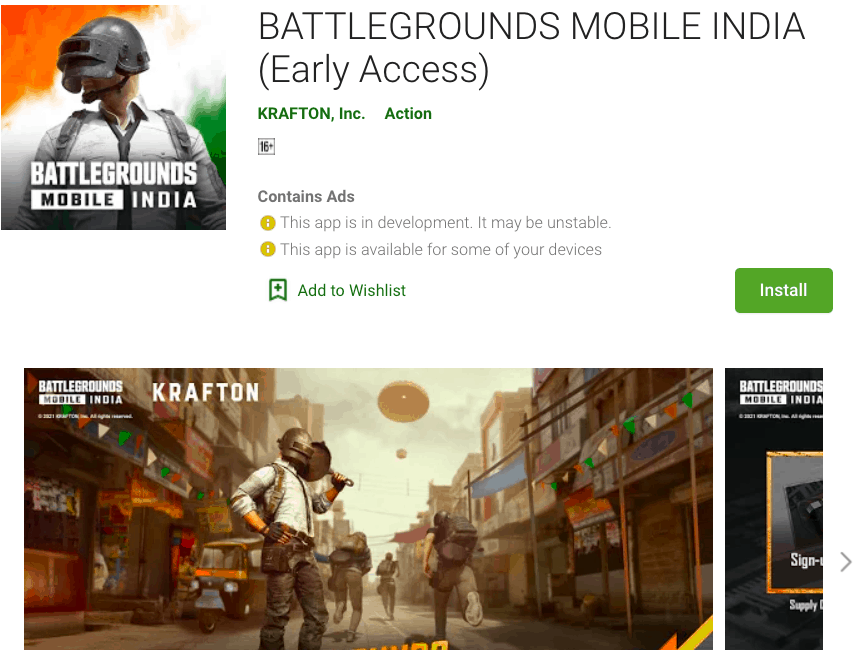
Battlegrounds Mobile India has been on our radar for months, and the game was recently made available for pre-registration on the Google Play Store. Early access for Battlegrounds Mobile India, or BGMI, is now available and may be downloaded directly from the Google Play Store for a limited number of people. If you missed out on the early access release of Battlegrounds Mobile India, you may still Download Battlegrounds Mobile India APK and OBB files using the link provided below.

At this time, the Battlegrounds Mobile India beta test appears to be full. As a result, you might not be able to participate right now. Even if you don’t want to participate in the beta, you can still play Battlegrounds Mobile India. We’ve provided both the official Google Play Store and the Battlegrounds Mobile India Beta APK Download Link, along with a step-by-step installation tutorial.

Download Battlegrounds Mobile India APK and OBB

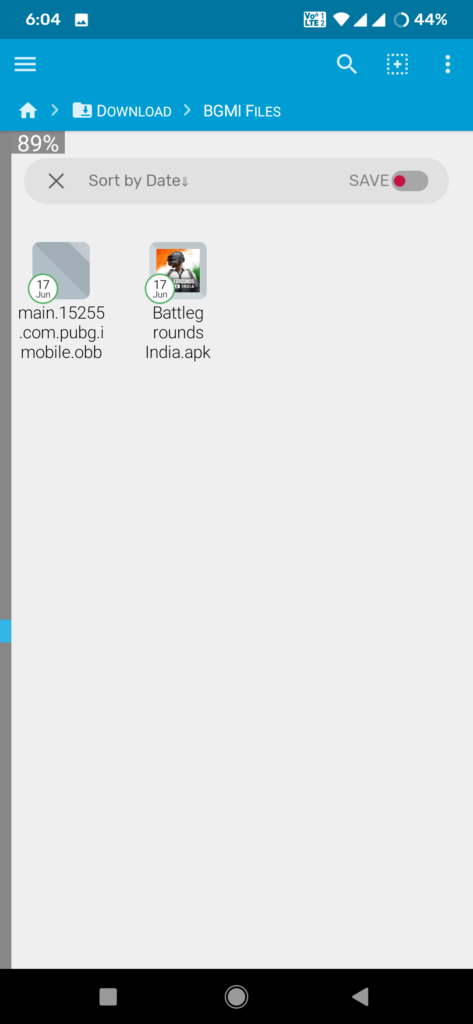
We’ve included a link to Download Battlegrounds Mobile India apk and OBB file. The size of the APK and OBB files are 72 MB and 637 MB, respectively. Before downloading the files, you must make sure that their devices have enough capacity.

  • Download Battlegrounds Mobile India APK – Download
  • Download Battlegrounds Mobile India OBB data – Download

How to Install Battlegrounds Mobile India APK and OBB on Android

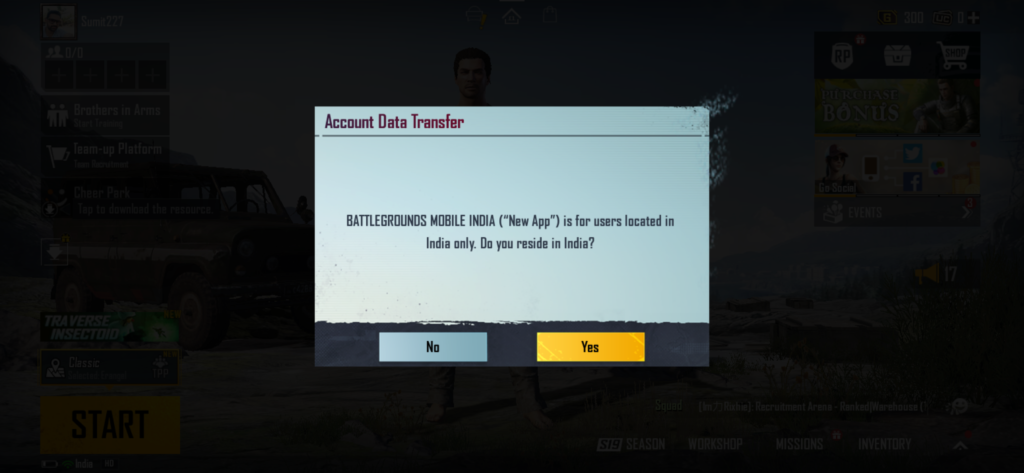
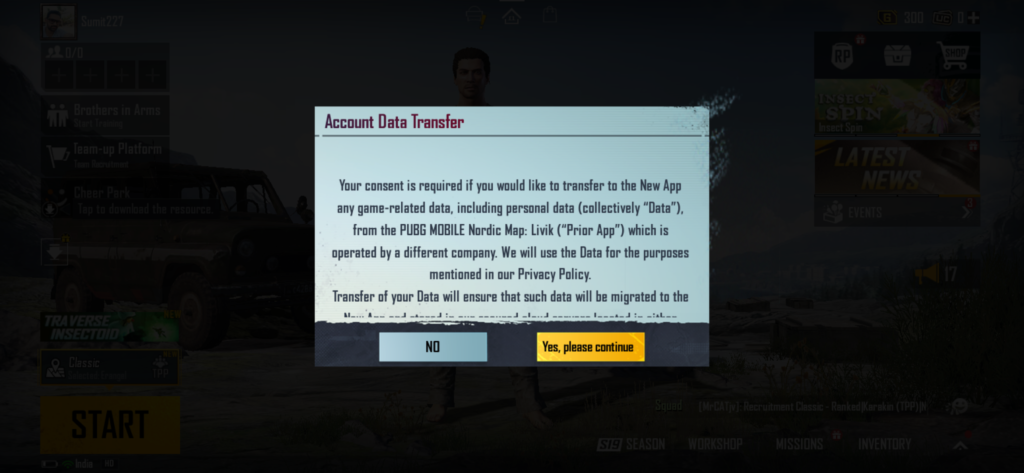
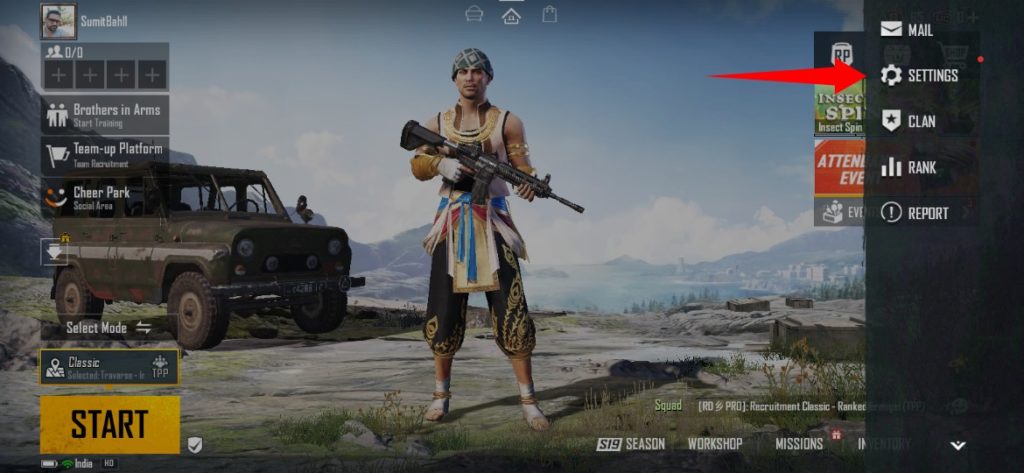
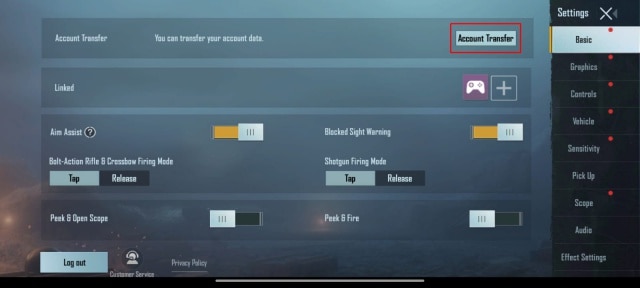
We’ll show you how to install Battlegrounds Mobile India on Android using a variety of methods. You’ll need to register a new account after downloading the game because you won’t be able to access your existing PUBG Mobile account.

Method 1 – Get Battlegrounds Mobile India Early Access via Google Play Store

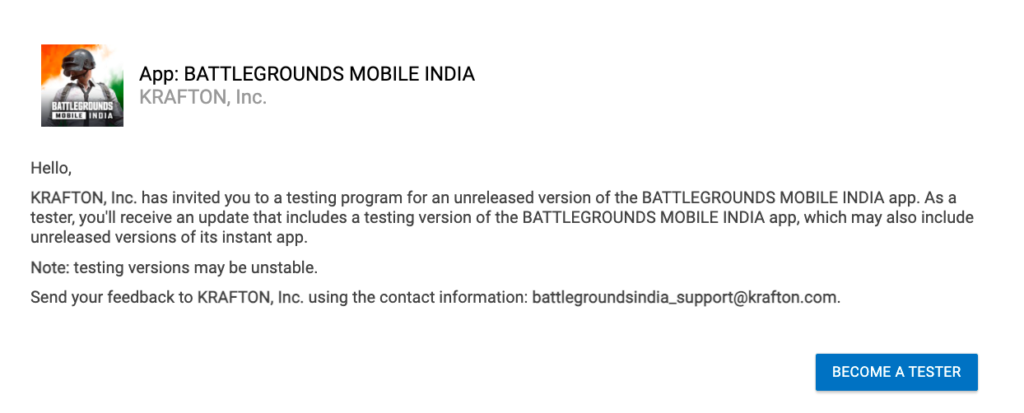
  • First, visit the Google Playstore and go to the testing page of Battlegrounds Mobile India. After opening the link, join the beta program.Get Battlegrounds Mobile India Early Access via Google Play Store
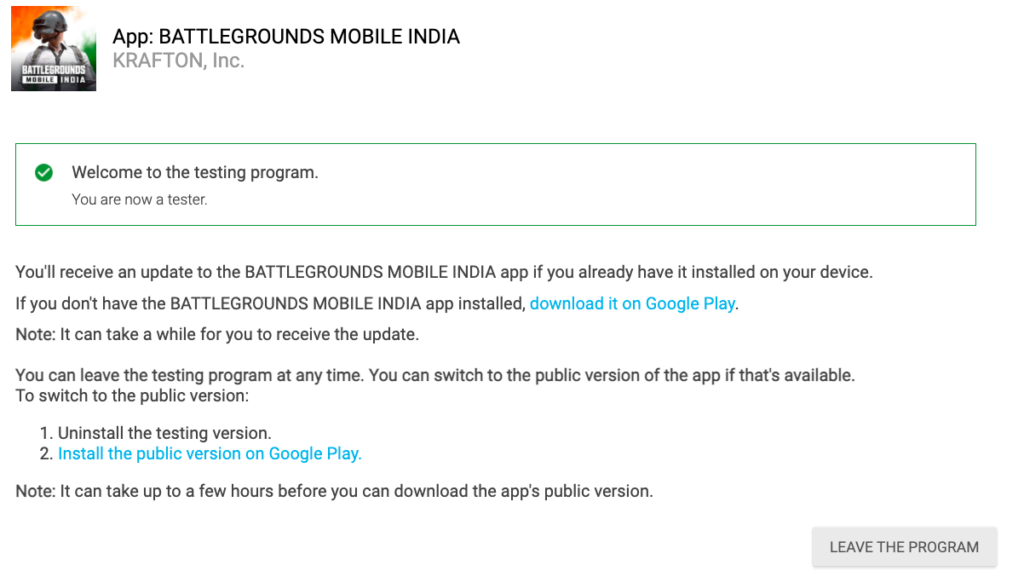
  • Once you have joined the beta program as a tester, you will get an option to download and install Battlegrounds Mobile India on your Android smartphone with ease.Get Battlegrounds Mobile India Early Access via Google Play Store
  • Once the installation is complete, you can log in and play Battlegrounds Mobile India.Get Battlegrounds Mobile India Early Access via Google Play Store
  • The beta test for Battlegrounds Mobile India seems to be full at this moment. So you might not be able to join right now. However, it may open soon. You can wait for that or follow the below methods to install Battlegrounds Mobile India APK and OBB manually.

Method 2 – Install Battlegrounds Mobile India with APK + OBB Files

  1. Download Battlegrounds Mobile India APK and OBB files from above.
  2. Install the Battlegrounds Mobile India apk and open it.
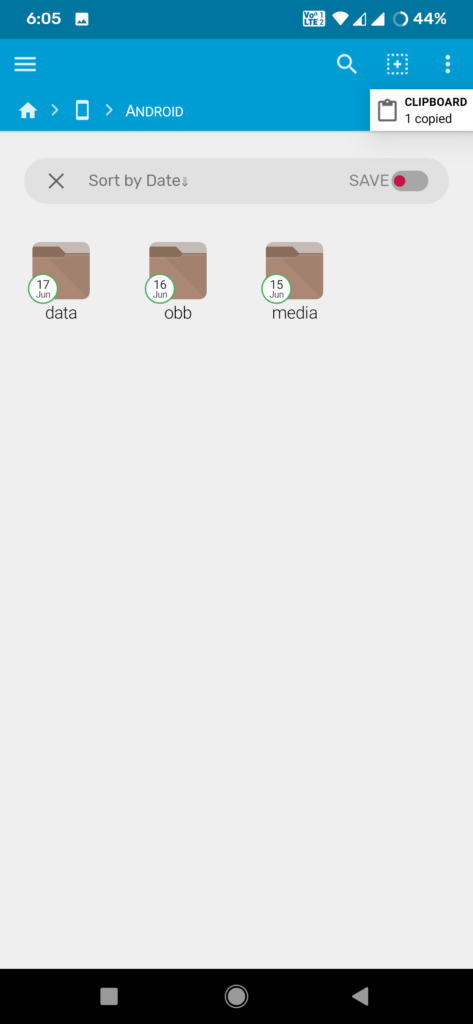
  3. You may get an error, close the app from the background and follow the next step. This step will also create a folder named ‘com.pubg.imobile’ inside the Android/OBB folder.
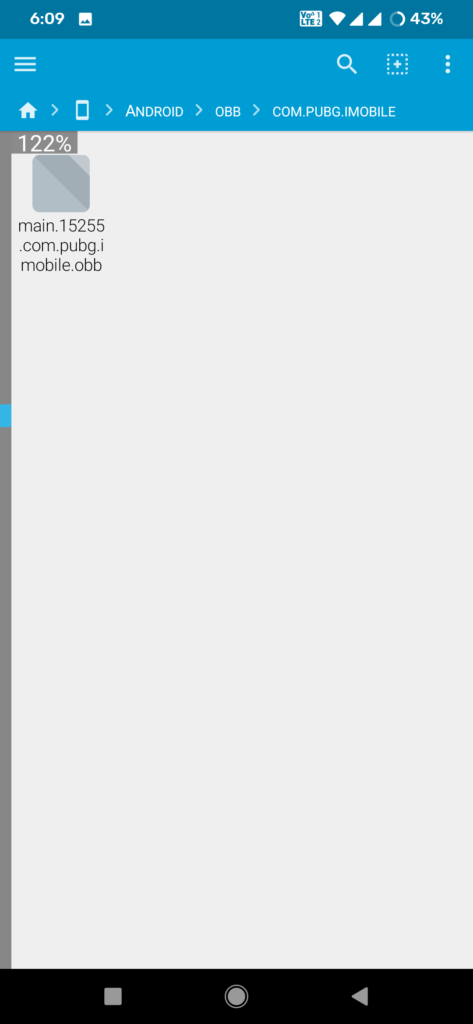
  4. Extract the OBB file you downloaded above and move the OBB file to the following directory: Android/OBB/com.pubg.imobile
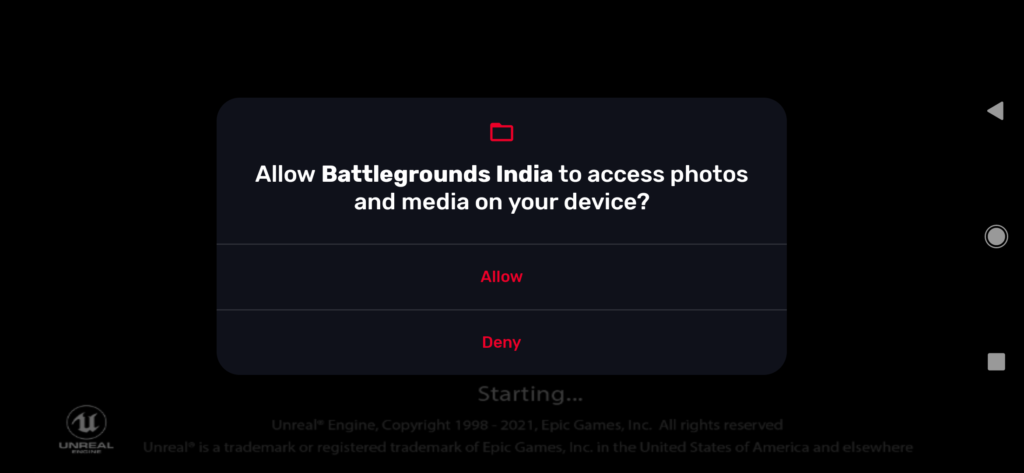
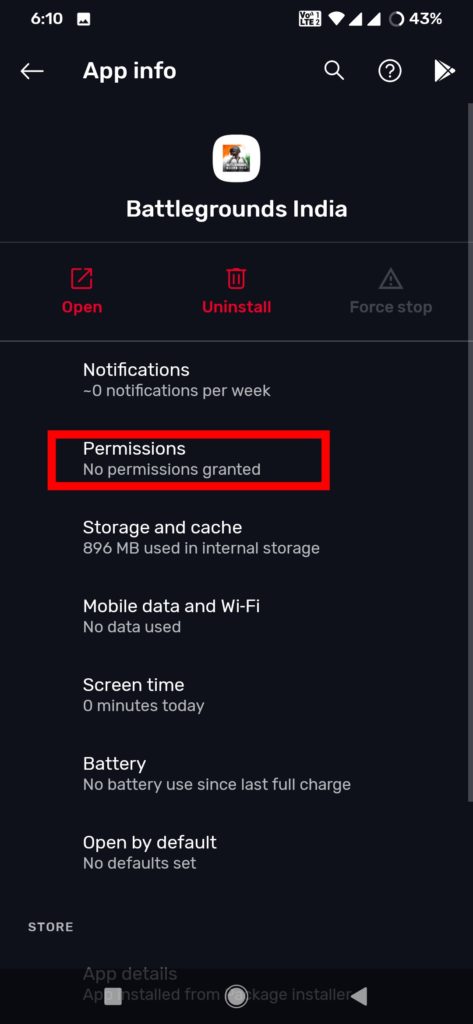
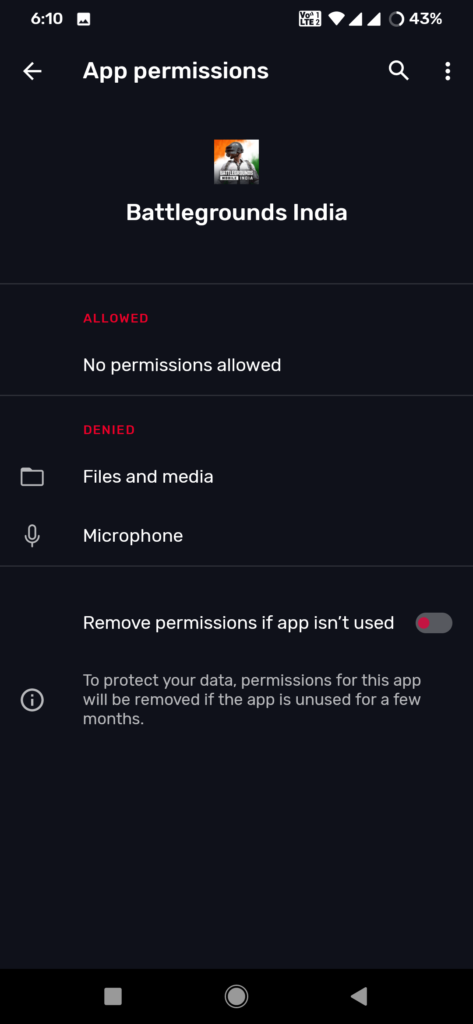
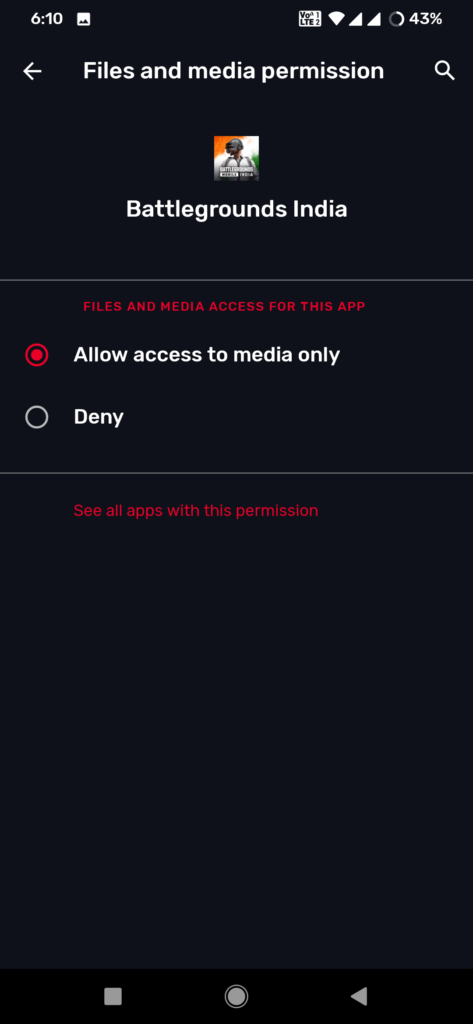
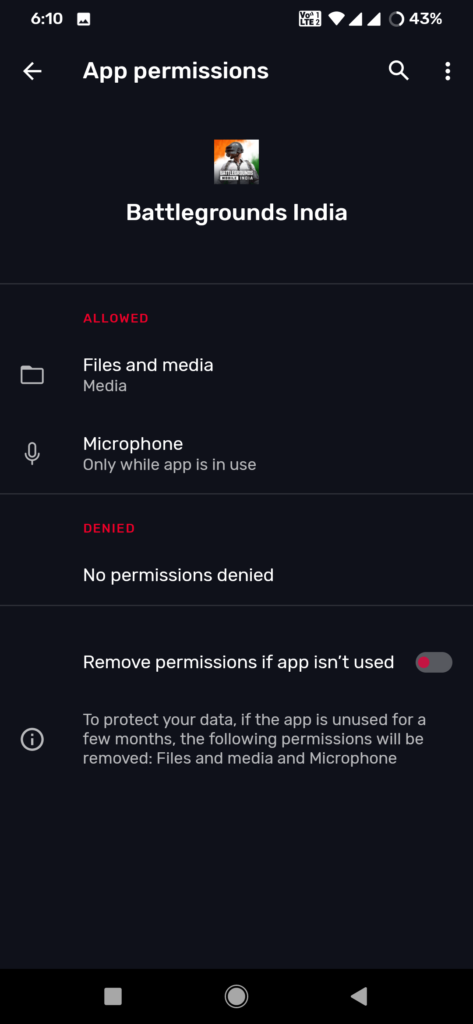
  5. Now open the Battlegrounds Mobile India app and allow the storage permission.
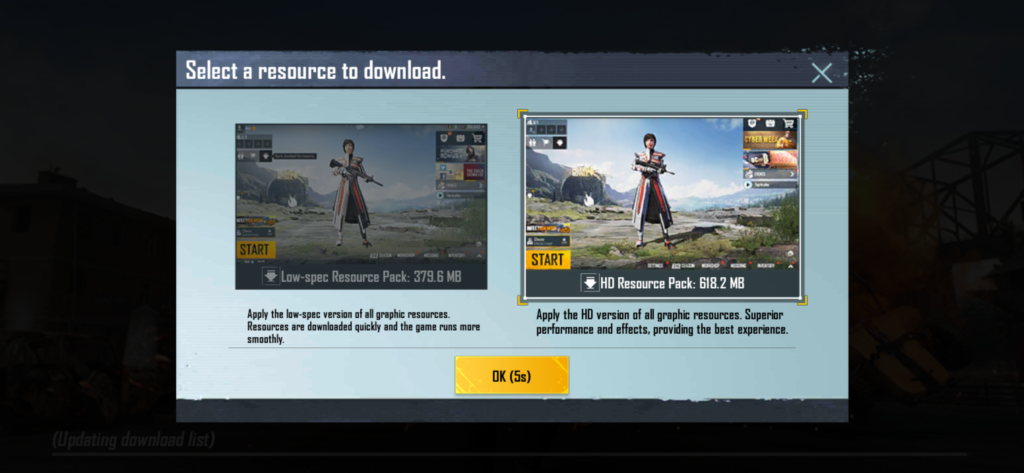
  6. The game will open and it will ask you to pick between the low-spec and HD resource packs.
  7. Choose the one and follow further steps to complete the process.

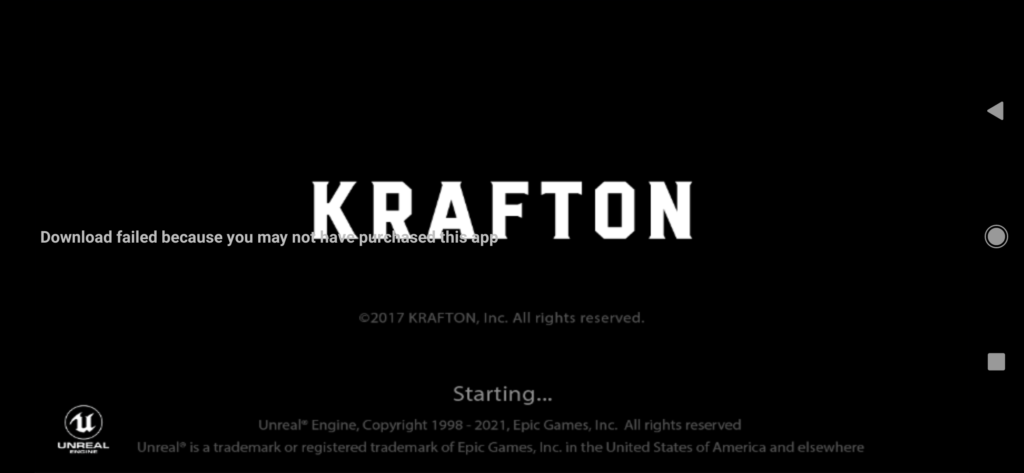
How to Fix ‘Download failed because you may not have purchased this app’

There are chances you may face the issue Download failed because you may not have purchased this app after installing Battlegrounds Mobile India on Android. If you are facing such an issue then follow the below step to Fix Download failed because you may not have purchased this app issue.

Download failed because you may not have purchased this app

  1. Make sure the name of the OBB file you downloaded is “main.15255.com.pubg.imobile.obb”.
  2. If the file name is different, rename it before putting it in the OBB folder.
  3. Before opening the app, make sure you allow required permissions from the app’s settings page.
  4. Done.

Wrapping Up: Battlegrounds Mobile India Download links and Installation

Many players have received early access to Battlegrounds Mobile India, but if you don’t get the early access and want to try the game right now then Download Battlegrounds Mobile India APK and OBB from above and install it manually.

Have any questions? Do let us know that in the comments below. Stay connected with us via Facebook and Twitter to read more such helpful posts.

The latest MIUI 12.0.9.0 update for POCO M3 starts rolling out via OTA. The update improved system stability. Follow the below guide to Download MIUI 12.0.9.0 Global Stable ROM for POCO M3.

MIUI 12.0.9.0 Global Stable ROM for POCO M3 is a stable version and can be flashed via Recovery or via Fastboot. You can download MIUI 12.0.9.0 for POCO M3 from below.

You can Download POCO M3 MIUI 12.0.9.0.QJFMIXM ROM from below and also manually check for the update by going to Settings -> About Phone -> System updates -> Check for update. Download MIUI 12.0.9.0 Stable ROM for POCO M3 from below.

POCO M3 MIUI 12.0.9.0 Changelog:

[Other]

  • Optimization: Increased system stability
  • Optimization: Reduced system lag

Note:-

  • This Firmware file is only for POCO M3. Don’t try this on any other device.
  • Follow the steps correctly otherwise you may brick your device. We are not responsible for any damage to your phone.
  • It may erase your data, so it is advisable to take a complete backup of your phone for a safer side.
  • Ensure that your phone has at least 50-60% charged to prevent the accidental shutdown in between the process.

Download MIUI 12.0.9.0 Global Stable ROM for POCO M3

  • POCO M3 MIUI 12.0.9.0 OTA update – Download
  • MIUI 12.0.9.0 Recovery ROM for POCO M3 – Download
  • MIUI 12.0.9.0 Fastboot ROM for POCO M3 – Coming Soon

How to Install MIUI 12.0.9.0 Global Stable ROM on POCO M3 –

To install MIUI 12.0.9.0 update for POCO M3 download either Recovery ROM or Fastboot ROM from above and use the below method to install this on your device.

Method 1 – Recovery Mode

Recovery Mode

  1. Download Recovery ROM for POCO M3 from above and save it on your device.
  2. Now launch the ‘Updater‘ app on your device.
  3. Click on the three-dot menu (‘…’ icon) at the top-right corner, and select the ‘choose update package‘.
  4. Browse through the files and select the package ending with .zip extension.
  5. Done. Your device will reboot on the latest version.

Method 2 – Fastboot Mode

1) First, Download Mi Flash Tool, extract it, and install it on your PC.

2) Now download Fastboot ROM for POCO M3 for your device.

3) Now boot your device into Fastboot mode by pressing the ‘Volume Down + Power‘ button.

4) Connect your device to the PC via a micro USB cable.

5) Now extract the Fastboot ROM and copy its path on the PC.

6) Now open MI Flash Tool and Paste the address bar of the ROM file folder path copied from above.

Mi Flash

7) First, click on the ‘Refresh‘ button (It will automatically recognize your device) and then click on the ‘Flash‘ button to flash MIUI 12 ROM on your Devices.

Mi Flash

8) Wait for some time to complete the process.

9) Done. Your device will boot on the latest version.

Wrapping Up:

Download MIUI 12.0.9.0 Global Stable ROM for POCO M3 and flash it to update it manually. Comment below if you have any doubts.

Since its launch in 2007 in the UK, BBC iPlayer has grown in leaps and bounds as a catch-up service. Long before the arrival of other streaming services, BBC iPlayer was offering fantastic TV shows on demand. It made it possible for people to watch what they want when they want, making catch-up TV a household concept.

Fast forward to the modern-day, iPlayer is still one of the most preferred TV show services in the UK, even with competition from leading new streaming services. It is still a source of fantastic quality TV shows and films, making it worth sticking with even as you sample other options in the market.

BBC iPlayer offers a wide range of shows that can be streamed from your TV, smart devices, tablets, and laptops, with BBC 4K iPlayer available on the menu.

There is a full range of features and extras on iPlayer you can use to make your iPlayer streaming experience even better. Whether you are a loyal iPlayer fan, new to the platform, or occasionally log in to catch your favorite episode of Pointless, here are timely tips and tricks you can use to make your catch-up experience on BBC even more enjoyable.

Access BBC iPlayer from anywhere

Accessing iPlayer outside the UK is not possible due to geo-restrictions. If you are worried that you will miss your favorite shows whenever you travel outside the UK or reside in a country outside the UK but still want to access the service, you can access BBC iPlayer with a VPN.

Once you download a VPN(Virtual Private Network), you can pick a server location inside the UK to access BBC iPlayer from anywhere in the world. The VPN hides your actual IP address and replaces it with one from the region you choose within the UK. With a reliable VPN, you can enjoy fast streaming speed and connection to allow you to access your favorite shows from anywhere in the world.

Using iPlayer with no internet connection

Instead of always accessing BBC iPlayer from your browser, you can download the free iPlayer app to your mobile device, computer or laptop and download your favorite shows to watch later. Once you download the shows onto your app, you can catch them at any time before the lapse of 30 days.

You can watch all your downloaded content without needing an internet connection. This feature is perfect for people who spend a lot of time commuting and want to catch up on their favorite BBC shows while on the road.

Access live TV on iPlayer

If you have the iPlayer app, you can access live BBC programming from the ‘TV Guide’ menu. This interactive part of the interface gives you access to an array of BBC channels like BBC One, Two, and Four, and regional BBC channels like BBC Alba and BBC Scotland.

Use the iPlayer recording feature to watch every episode

IPlayer Series record feature allows you to record and save your favorite TV series episodes to watch later. You can activate this feature from the setting tab on the right-hand corner of the app. Click or tap on the ‘Series Record’ option on the dropdown menu to turn it on. Remember to find the program you want to record first and use the menu option for the title.

Once the iPlayer Record feature is turned on, every new episode of your favorite shows will be saved for later viewing. Also, your device needs to have a hard drive for the recording and downloading option to be available.

Listed to podcasts and radio

In the beginning, iPlayer includes radio as part of its features, and as the platform grew, they have included more options, including BBC Sounds as a standalone app. With this service from iPlayer, you can access live BBC radio at home or on the move.

You can access numerous stations on BBC Sounds by flickering on the homepage, including different music genres, podcasts, and talk radio categories on the platform.

With these tips, you can access your favorite BBC iPlayer shows whenever, wherever.