Author

Sumit Bahl

Browsing

The default video player on Android phones comes with limited control, and that’s the reason I replaced it with an app called MX Player. MX Player is one of the best and most widely used video players out there, which will play your local videos as well as stream online content, movies, web series, and TV channels. It can do everything that your default video player can do, but it also comes with several additional features that are very useful.

MX Player supports hardware acceleration and multi-core decoding, which helps your video playback utterly smooth. It can handle any file format, bitrate, or subtitle extension and play almost all video formats. It can even run perfectly smooth on 8-9-year-old phones and support every popular Codec. But in a few cases, you won’t get the ac3 or DTS audio support, and for that, you need to Download MX Player Custom Codec.

MX Player officially does not support AC3, DTS, TrueHD, and many other formats, and because of that, MX Player shows the error ‘This Audio Format EAC3 is Not Supported’. However, by installing the MX Player Custom Codec zip file, you can run these formats without any issue, and it will fix Fix MX Player No Audio Issue. Download Custom Codec ZIP files for MX Player and MX Player Pro from below.

MX Player Custom Codec

What is Custom Codec?

Custom codec is a modified version of the FFmpeg library and all other necessary libraries used in the MX Player. It will help the MX player to play any media files in excellent sound and video quality. MX Player will only contain the required libraries as per your device architecture that will only support the device with ARMv7 NEON CPUs. For any other type of device, you need a custom codec.

Download MX Player Custom Codec [AC3, DTS, TRUEHD]

Here we share the link of all DTS, DTSHD, MLP, AC3, and EAC3 custom codec for all devices. Make sure to Download DTS, AC3, EAC3, and other Custom Codec ZIP according to your device architecture. If you have selected the correct codec version for your phone, the app will restart automatically after making the changes. If the version is not right for your device, you will get an error message that says, “Can’t find custom codec for this version.”

The latest updated version of MX Player Custom Codec is released by XDA member USBhost. You can download MX Player Custom Codec with DTS and AC3 Support from below.

[su_button url=”https://github.com/USBhost/MX_FFmpeg/releases” target=”blank” style=”soft” background=”#dc5e49″ size=”7″ center=”no” rel=”nofollow”] MX Player Custom Codec Download Official[/su_button]

[su_button url=”https://forum.xda-developers.com/devdb/project/?id=19112#downloads” target=”blank” style=”soft” background=”#dc5e49″ size=”7″ center=”no” rel=”nofollow”]Download All Custom Codec Zip files from XDA[/su_button]

[su_button url=”https://drive.google.com/file/d/1kk_6zgq6e9JyKEGZuPbTK2zKfUpJhfBv/view?usp=sharing” target=”blank” style=”soft” background=”#dc5e49″ size=”7″ center=”no” rel=”nofollow”]Download All-in-one Custom Codec (mx_aio.zip v1.25.0)[/su_button]

[su_button url=”https://drive.google.com/file/d/13QjGeNE5t63mfxbeSIoZEExuUcIWMp8U/view?usp=sharing” target=”blank” style=”soft” background=”#dc5e49″ size=”7″ center=”no” rel=”nofollow”]Download mx_neon.zip Codec v1.25.0[/su_button]

[su_button url=”https://drive.google.com/file/d/19Ts63n_oBpSwKF8933tnfNNr1QXeoU-Z/view?usp=sharing” target=”blank” style=”soft” background=”#dc5e49″ size=”7″ center=”no” rel=”nofollow”]Download mx_neon64.zip Codec v1.25.0[/su_button]

[su_button url=”https://drive.google.com/file/d/13fbAFyfpBf81-jTosqjU1elxqhH8cun8/view?usp=sharing” target=”blank” style=”soft” background=”#dc5e49″ size=”7″ center=”no” rel=”nofollow”]Download mx_x86.zip Codec v1.25.0[/su_button]

[su_button url=”https://drive.google.com/file/d/1UPsBzXl2naNwMfZaTxMYHiHJKBY3ye32/view?usp=sharing” target=”blank” style=”soft” background=”#dc5e49″ size=”7″ center=”no” rel=”nofollow”]Download mx_x86_64.zip Codec v1.25.0[/su_button]

[su_button url=”https://drive.google.com/file/d/1_I4AM9NJ4mHmSFOvQKXWF_qMM5_o-X_l/view?usp=sharing” target=”blank” style=”soft” background=”#dc5e49″ size=”7″ center=”no” rel=”nofollow”]Download mx_tegra3.zip Codec[/su_button]

[su_button url=”https://drive.google.com/file/d/16NuO1e183ceucYj9zv_HXIUTIapJNYl_/view?usp=sharing” target=”blank” style=”soft” background=”#dc5e49″ size=”7″ center=”no” rel=”nofollow”]Download mx_tegra2.zip Codec[/su_button]

How to Check which Codec to Use?

It’s important to know which MX Player custom codec pack your device will support. For that, open the MX Player Settings and navigate to the Decoder. Here, at the bottom of the page and you will find an option Custom Codec. In the Custom Codec tab, it will tell you which one is needed (x86, x86_64, neon, neon64/ARMv8). If you are still confused about which version to choose, then you should try the All-in-one MX aio Custom Codec file. It will automatically load the right Codec from the pack as per your device architecture.

  • Open MX Player and go to ‘Settings.’
  • Navigate to the Decoder.
  • Scroll to the bottom of the page to Custom Codec.
  • You will find the type of codec pack that your device support. (ARMv7 Neon type custom codec pack in my case)

How to Install Custom Codec on MX Player

If you try to play an unsupported file, you will see an error message, and MX Player will prompt you to install an additional codec pack that will most likely solve the issue. Installing Codec on MX Player is too easy; you just need the right Codec for your device. Downloaded the MX Player Codec files from above and followed the below steps to Install Custom Codec on MX Player.

Method 1

  1. Download and move the MX Player Codec Zip file to the root of your internal storage.
  2. Open MX Player, it will automatically detect the codec zip file and will prompt you to install the same.
  3. Once detect, click OK to install.
  4. The app will restart, and you will be able to play unsupported files in MX Player.

Method 2

  1. Open MX Player and go to Settings.
  2. Navigate to the Decoder.
  3. Scroll to the bottom of the page and click Custom Codec.
  4. Now navigate and select the downloaded Custom Codec zip (Better use MX AIO zip file, it will automatically find the correct Codec).
  5. If the codec version for your phone is correct, the app will restart automatically.

How to Install MX player Custom Codec on Firestick

Installing MX player Custom Codec on Firestick is very simple. Like the MX player Android app, Firestick also has the option to install Custom Codec. To install Codec on the Firestick app, Open MX Player, go back into Settings -> Decoder, scroll to the bottom, click Custom Codec, and then choose the Codec.

How to change MX Player Codec?

You only need to change it with a new version, if the previous Codec is outdated. Whenever MX Player is updated, It will check the version of the custom codec loaded on your device. If it’s obsolete, it will show an error message that indicates “Custom Codec is out of date. Replace it with the new version”. To update Custom Codec, you need to download the latest version and follow the installation process again.

Which MX Player Codec Supports AC3 or EAC3 Format?

Although neon codec works best but for new users who don’t know their device architecture should try an All-in-one codec pack. It will automatically install all the Codec as per your device specification. After installation, you would be able to play videos with DTS audio, AC3, or EAC3 audio without any issues.

Wrapping Up:

Here we share everything about MX player Custom Codec Download, Install, or to change the Codec. If you follow the guide, you can play all types of videos on MX Player without any issue if you have any questions comment below.

Source

In recent years, more and more users are using the cloud to store their data and files.  However, it can be difficult to manage these accounts without a proper tool. To enlighten you, here’s how these clouds work and how you can easily manage them if you have multiple cloud accounts.

The Cloud in General

The cloud offers many services over a network (usually the Internet): data storage, access to office automation applications and more complex software, interaction with connected objects … The peculiarity of this proposal is that we can retrieve files from any terminal devices connected to the network: phone, computer, tablet, etc….

Advantages of Cloud Storage

There are many advantages to this approach. First, the amount of data that can be stored is so large that it can be considered almost limitless. Secondly, due to the significant investments that providers often make, security (often the source of concern for cloud users) has improved so significantly that even banks and insurance companies are now using this resource.

In addition, this option ensures that you have great flexibility, as you only pay for the bandwidth you use. Finally, the cloud represents a very economical solution compared to physical servers. You can store backups of your PC in it so that you do not lose important data.

Three Types of Clouds

We can classify clouds into three categories: public, private, or hybrid clouds. When subscribing to a public cloud, you can access the server via the Internet. This option is the most common, especially for individuals, as it is particularly cheap (no upfront or maintenance costs) and reliable. Companies or organizations use private clouds in networks dedicated to private clouds, as they ensure increased flexibility and security. Finally, hybrid clouds of private and public clouds leverage the advantages of each solution with low cost and optimal flexibility.

How Do You Manage Your Cloud?

There are many providers in the cloud fields and different systems have their own advantages and disadvantages. As a result, it’s not uncommon for one person to have data in multiple clouds, thus making management complex and tedious. So, is there any tool that can make multiple cloud management easier?

Here in this article, you will find a cloud storage manager, MultCloud, which represents a simple and efficient solution for managing multiple accounts within one login. 

How Does MultCloud Work?

Cloud file transfer, which usually requires downloading from one cloud and then importing the relevant data to another, can be done directly from the cloud to cloud (without downloading) using MultCloud. Moreover, this software can sync files between two clouds and manage multiple clouds like Windows File Explorer.

The software features adapt to your needs with different options such as scheduled and regular transfer of certain folders, parallel transfer for higher file transfer speed and offline transfer which works even when the computer is switched on or off. 

Finally, since the security of your data is MultCloud’s priority, it is not saved or cached and your clouds are managed using 256-bit AES encryption, which is considered impossible to hack.

How to Use MultCloud to Manage Your Clouds?

After learning much about MultCloud, you may want to know how to use MultCloud to manage your clouds. Here in the following parts, you will get it with detailed steps.

Step 1. Prepare one MultCloud account. You can create one account with your email account or you can also log in directly with your Google or Facebook account. 

It is important to note that these are two different login methods. Even if the email you log in through the MultCloud portal is the same as your Google account, MultCloud will recognize them as two different accounts.

Step 2. Log in MultCloud and add your clouds to MultCloud. Here takes managing Dropbox and Google Photos as an example. Click on the “Add Clouds” button, select Dropbox below to add, click on the “Next” button, authorize MultCloud to access your Dropbox account and it will be added to the left panel.

Step 3. Follow the same way above to add your Google Photos account to MultCloud. After that, you will find both Dropbox and Google Photos accounts have been added to MultCloud.

As you can see, you can manage your accounts directly in just three steps. After adding your accounts to MultCloud, you can do a lot of operations as you do on the cloud drive itself. For example, you are allowed to upload, download, delete, rename, share, etc. files through MultCloud to your own cloud without visiting the official website of your cloud.

Since MultCloud has the ability to transfer files across clouds directly. If you want to transfer Dropbox to Google Photos, you no longer need to use the “Download” and “Upload” functions to complete the operation.

Click on “Cloud Transfer”, select Dropbox as the source, select directory under your Google Photos as the destination, tap on “Transfer Now” and the process will start.

Summary

As you can see, MultCloud is really a good tool that should not be missed. Even though some features require you to pay for it, the free features are enough for the majority people.

For years, PowerPoint has emerged as one of the most powerful tools to design presentations for educational and business purposes. PowerPoint can help prepare great presentations that help you promote your product and impress your clients to secure a deal. 

However, creating engaging, practical, and attractive presentations require professional design skills and a lot of time and effort to design it. If you want to save your time and effort, either you have to hire a professional or complete the task by grabbing pre-designed templates.

PowerPoint templates or slides themes make it easy for anyone to create complete, elegant, and professional-looking slides. Templates are flexible and extremely easy to use. It will not only boost your overall productivity but also save your valuable time and effort.

If you are also looking for the same, we recommend SlideHunter.com, an online solution for Microsoft PowerPoint users that provides professionally designed and highly customizable PowerPoint templates. Not only do they offer thousands of editable templates, but also you can find slides, shapes, maps, and PowerPoint diagrams. They frequently update their products and their designs as per the latest trend and market needs.

Features and Benefits of SlideHunter

Are you still confused about using SlideHunter? Here we share all Features and benefits of SlideHunter that will not only clear all your doubts but also believe that your decision to choose SliderHunter is not wrong. 

SlideHunter Review

1) Attractive & Free PowerPoint Templates

SlideHunter is offering thousands of unique templates and slide designs for every kind of presentation. It has fully customizable templates for all purposes, whether for business, personal, school, or office use. 

They offer simple themes and complex and comprehensive design templates based on popular business models that easily take your presentations to the next level without any stress or complications.

2) Slides, Shapes, Diagrams, and Charts

SlideHunter also offers designs for presentations, including Slides, diagrams, shapes, and charts for a wide range of business situations. All these elements are provided as presentation templates that end-users can adapt and customize for their own needs.

PowerPoint Diagrams: A lot of SlideHunter’s templates already bundled with diagrams; still, you can download diagrams for your specific needs from their website. They offer different kinds of diagrams such as flow-chart diagrams, funnels, Fishbone Diagram, circular diagrams, arrow-based diagrams, process flow diagrams, etc.

SlideHunter Review

PowerPoint Shapes: SlideHunter offers several options to include innovative shapes that can convey your ideas. They include several 2D or 3D designs, buttons, icons, signs, etc.

PowerPoint Slides: The website offers many different slides that you can use for business presentations. Each slide has a unique and attractive design that can impress and engage your audience.

PowerPoint Charts: SlideHunter has a section that consists of many different charts, including bar charts, 3D pie charts, dashboards, and curve-based charts.

3) 100% Editable Content

Every template, slide, shape, and diagram at SlideHunter is customizable. You can change its properties, colors, text, and effects to match their own presentation needs. You can also rearrange, remove, or duplicate the slide. 

The user does not require any specific design skills, insert diagrams by using the drag and drop shapes, and use some necessary skills like replacing the text placeholders with their content, using your own logo by replacing or inserting the image to match your requirement.

Another good thing about SlideHunter templates is that they are compatible with all other popular presentation tools such as Google Slides, Keynote, and OpenOffice.

How it works?

To download the templates, you need to create a free account on the SlideHunter website. Once you successfully created the account and logged in, you can browse the catalog and download any file. The site is free, and no payment is required. 

The download files are provided as .pptx files or in the .zip files format (you can extract to get the .pptx file), and you can access it on any device. You can even access the templates on modern 16:9 projectors.

Wrapping Up:

In our opinion, SlideHunter is definitely one of the best free PowerPoint templates providers that offers thousands of top-notch and professionally designed templates for free. All the templates are of high quality that will always make your presentations look excellent and professional. 


When it comes to creating a professional presentation, nothing beats the power of PowerPoint. Once in a lifetime, you always need to create a presentation to prove yourself no matter if you’re an employee, student, or businessmen. With PowerPoint, you can create attractive, powerful, and professional-looking slides to impress your audience. 

PowerPoint presentations let you combine text, slides, images, videos, charts, and animation to create a catchy, easy to understand, and appealing PowerPoint presentation. But the tools, features, and the default templates available in PowerPoint are too common and not everyone knows how to create a stunning presentation without having design skills. 

To create a professional-looking presentation, you don’t need much technical knowledge. Nowadays, many professionals are using pre-designed PowerPoint templates and you can easily find them online for free, as in the website Free PowerPoint Templates (a.k.a. FPPT.com).

Free PowerPoint Templates (which is accessible in the website https://www.free-power-point-templates.com/ ) is one of the biggest and most complete providers of free presentation templates and PowerPoint designs. They have thousands of free PowerPoint templates available and consistently adding new templates to their collection as per the latest trend and market needs. New templates are added every day and the site is visited by thousands of enthusiastic and professional presenters.  

They cover templates of all categories including business, education, tourism, sales, finance, law, religion, sports, science, and many more. The free templates they offer have catchy cover images and slides, they come with text placeholders, editable themes, and color palettes.

Features of FPPT (the free Powerpoint Templates resource)

FPPT provides access to thousands of free and editable PowerPoint Templates for each industry. You can edit every template as per your specific personal or business needs. The websites also have lots of PowerPoint presentation backgrounds and slide themes to choose from and you can even convert your slides to Keynotes, Google Slides, and OpenOffice.

FPPT Review

1) 100% Free PowerPoint Templates

Many people don’t know how to create a stunning presentation and for them creating these presentations from scratch will be a lot of time-consuming. Either they can go for professionals to do their work or choose one of the free templates of their choice.  

FPPT is a free website from where you can download and use thousands of templates. Many websites offer high-quality templates, but for a price. They asked you for credit card details, asked you for membership and some of them have download limits. But FPPT is completely free. You don’t need to sign up or to take any membership. You don’t need to pay for anything and also there are no hidden charges. Also, You can download unlimited templates or themes from the website, there are no limits. Check out some of the best free PowerPoint templates available.

FPPT Review

You can choose templates from hundreds of categories or if you have a particular keyword in mind, just type in the search box and lots of results will come out. Once you find the template of your choice, you can edit it. 

Another good thing about the free presentation templates is these templates are 100% editable. You can edit each and every aspect of the templates. You can customize text, and your own logo and use other formatting tools to make the templates truly yours. You can also decorate the slide by adding art, objects, and additional diagrams.

2) Compatibility

We have seen many templates that stop working once the PowerPoint version is updated. But with FPPT, you won’t find any such issue and you can get compatibility across all PowerPoint versions. All templates are created with built-in PowerPoint shapes and taking compatibility in mind. The templates are provided as .pptx files. This means you can keep the integrity of the design and formatting no matter the version of PowerPoint you have.

Although Free PowerPoint Templates are specifically made for the PowerPoint, that doesn’t mean it is limited to PowerPoint. You can also use these slides with Google Slides, Keynote, and OpenOffice.

3) Great backgrounds and creative designs

Choosing a great background for your presentation may not be an easy task. The background should enhance your slide. It should be classy but readable at the same time. FPPT provides you with many stylish background styles that make your template look more appealing and promising.

Wrapping Up:

To make the presentation more beautiful, free PowerPoint template providers like FPPT.com can help you. Free PowerPoint Templates (FPPT) is a one-stop solution for students as well as professionals. They provide unique, visually appealing, and effective PowerPoint templates that are easy to understand and surely leave a great impression on your audience. I hope you like this review. If you have any queries, comment below.

Compared with NTFS, FAT32 performers better incompatibility. FAT32 drive can be supported by Windows, Linux operating system, and work smoothly under different electronic devices, such as PS4 and Xbox One. Here we’ll discuss how to convert NTFS to FAT32 in Windows 10/8/7 for an external drive, especially when the drive is larger than 32GB. 

Convert NTFS to FAT32 by Formatting for a Drive up to 32GB 

If the capacity of the drive is not larger than 32GB and there are no necessary files saved on the drive, you can change its file system from NTFS to FAT32 by formatting within Windows Explorer, Disk Management, or third-party software like Diskpart. We share all different methods, check below How to convert NTFS to FAT32 quickly and easily.

1. Change NTFS to FAT32 via Windows Explorer.

  1. Double click This PC in Windows 10 or My Computer in Windows 7 to open File Explorer.
  2. Locate the NTFS drive that is going to be converted to FAT32, right-click it, and choose Format.
  3. In the pop-up window, choose FAT32 on the drop-down file system menu. Check “Quick Format”. Then, click the “Start” button.

2. Change NTFS to FAT32 via Disk Management

If the drive is not assigned a drive letter, it won’t appear in Windows Explorer. Then, you can format it to FAT32 in Disk Management.

  1. Press “Windows” + “R” at the same time, input “diskmgmt.msc” and click “OK” to open Disk Management.
  2. Find out the NTFS drive that you plant to convert to FAT32, right-click it, and choose “Format”.
  3. Choose FAT32 as the file system of the drive and click “OK”.

3. Change File System from FAT32 to NTFS via Diskpart

Or you can choose to convert a drive from FAT32 to NTFS via Diskpart utility.

  1. Press “Windows” + “R” at the same time, input “diskpart” and hit Enter.
  2. Run commands are given below in order:
list disk
select disk n (“n” is the disk number of that holds the target NTFS partition)
list partition
select partition m (“m” is the partition number of the target NTFS partition)
format fs=fat32 quick

Change File System from FAT32 to NTFS via Diskpart

Notes:

  • To make the drive without any drive letter visible in Windows File Explorer, you can assign an available drive letter to it in Disk Management or Diskpart.
  • Before deciding to convert NTFS to FAT32 via formatting, you should realize that formatting will erase all data on the drive.
  • When the partition is larger than 32GB, you’ll find that the FAT32 option is not showing on file system menu or receive an error saying that the volume is too big for FAT32. This is because Windows doesn’t support you to change the file system to FAT32 for a drive larger than 32GB.

Convert NTFS to FAT32 without formatting for a drive (beyond 32GB)

If you don’t want to lose data saved on the NTFS partition, or the partition is beyond 32GB, an NTFS to FAT32 converter tool – AOMEI Partition Assistant Standard will be a nice choice. It works smoothly in converting NTFS drive to FAT32 without losing data for a drive (larger than 32GB). Of course, you can use it to change (large) drive to FAT32 via formatting.

Now, free download the tool from its official website and have a close look at how it converts NTFS to FAT32 for a large drive without data loss. 

  1. Install the software and launch it. Go to “All Tools” and “NTFS to FAT32 Converter”.
    How to Convert NTFS to FAT32
  2. In this window, select “NTFS to FAT32” and click “Next”.
    How to Convert NTFS to FAT32
  3. Among the listed partition, choose the NTFS partition that you need to convert to FAT32 and click “Next”.
    How to Convert NTFS to FAT32
  4. In this window, the drive letter, label, and volume size of the partition that is going to be converted to FAT32 are displayed. Click Proceed to execute operation after confirming.
    How to Convert NTFS to FAT32

Notes:

  • Apart from converting NTFS to FAT32, this software can merge partitions, add unallocated space into partition, copy partition to another drive, and so on.
  • This reliable software can work perfectly under all editions of Windows 10, Windows 8.1, Windows 8, Windows 7, Windows XP, and Windows Vista (either 32-bit or 64-bit).

Wrapping Up:

These are some of the best ways to convert NTFS to FAT32. You can choose any of the methods and I’m sure you will be satisfied with the results. If you have any questions regarding this, comment below.

Managing a team is not easy and in 2020, when working from home has become mandatory it can be frustrating. With Team Management software you can communicate and manage a group of people. With Team Management Software Apps you can create a To-Do list and send it to the employees and take care of the Rest on video call apps like Zoom and Microsoft Teams.

Managing the team isn’t only about to-do lists and allocating tasks, you can also store important data about your projects, customers, tasks, and other activities and resources. To enhance team collaboration and keeping each team member productive and satisfied we require Team Management Apps.

Some Facts about Team Management Apps

A good Team Management App must fulfill basic needs like:

  • It should have an option to assign and prioritize work to different employees.
  • Communication options like chat and video should be there.
  • Cloud data storage option should be there.
  • Reporting and analysis of work and notification of deadlines will come handy.

10 Best Team Management Software Apps of 2020

There are hundreds of Team Management Software Apps available on the market but it is hard to choose the best among them. We have done our best to find the best options for you. Here is the list of 10 Best Team Management Software in no particular order.

1. Slack 

Slack 

Slack is a most powerful team management tool for individual teams and companies. It brings together all the moving parts of your communication in one place. Its key features include real-time messaging, archiving, file uploads, unlimited channel and team creation, unlimited team member invites, archiving, and internal search and intelligent search functionalities. Slack also has a notifications system that lets you know in many ways.

There are two types of channels on Slack, the public and private. In public channel, all team members can access and participate in the threads. On the other hand, In private channel, threads will only be accessible to team members specified by the channel’s creator.

Pricing: Free/Paid Plans Also Available

2. Podio

Podio

Podio is one of the most comprehensive tools for small business communication and work management. With Podio, you can add apps for any business need, or you can build your own. Podio speeds communication and provides the transparency and accountability needed for efficient teamwork, by enabling people to organize and track work in one easy-to-use place.

Podio offers a range of social collaboration features, including file-sharing anywhere within the system, as well as internal instant messaging and video chat.

Pricing: Paid Plans Available

3. Bitrix24

Bitrix24

Bitrix24 is a complete suite of all with social collaborations, workload management, telephone integration, and More. The software allows users to log and manage client interactions, generate sales reports, capture and store lead data and perform segmentation of target audiences.

With Bitrix24, users can create message templates, send individual or group emails to leads and contacts, capture notes on client interactions, schedule meetings and assign tasks.

Pricing: Free/Paid Plans Also Available

4. Replicon

Replicon

It has a remote workflow with one of the highlighting features is the calculating estimate budget and labor costs. This online project management app is highly focused on time management. Replicon provides end-to-end Time Management software and services to enterprises of all sizes. capture, analyze, and optimize time, your organizations most critical asset, to improve profitability, productivity and employee satisfaction.

Pricing Paid Plans Available

5. Harvest

Harvest

Harvest is actually a time tracking software and creates estimates and invoices on the time worked. It has a very clean and simple UI. It includes invoicing, expensing, and team management features. It’s key features include time and expense management, team management, project management, scheduling and invoicing.

It enables users to approve timesheets and the system sends automated reminders to employees to submit their individual timesheets.

Pricing: Free/Paid Plans Also Available

6. Toggl

Toggl

Just like Harvest its a time tracking software with a Work Timer. It has both online and offline time tracking. Toggl can be the perfect add on to your existing tool by making sure that work is done on time. It runs in the browser or as a browser extension, and there are mobile apps for tracking time on the go.

Toggl has features like Autotracker to set keywords that will automatically trigger the time tracker when related applications are active, Reminders to set reminders to track time at specific intervals and on specific days of the week, and Idle detection to get notified when you’re away from the computer, and choose whether or not to discard that time.

Pricing: Paid Plans Available

7. Proofhub

Proofhub

 It is the All in One Project Managing App that comes with integrated Group chat, quick Discussions on projects, Workflows and boards, Project reports and many more powerful features. It’s key features include discussions, notes, Gantt charts, to-do lists, calendaring, milestones, timesheets and more.

ProofHub includes a reporting engine that helps project managers to generate custom reports and keep track of their resource utilization and project progress and communication features include both group and one-on-one chat features

Pricing: Paid Plans Available

8. Microsoft Project

Microsoft Project

Microsoft Project is the right tool to keep you focused, engaged, and productive in your work. It has built-in project templates which make it suitable for small as well as enterprise level projects.

The tool includes project scheduling features, which allow management to create a project schedule, define and assign each project task, manage employee scheduling, and track project status. The software also provides customizable templates and visual roadmaps for project planning.

Pricing: Paid Plans Available

9. Brightpod

Brightpod

Brightpod is a cloud-based project management solution mostly used by marketing agencies or the marketing teams of businesses in a variety of industries.

It has  features include adding new users with roles and permissions, including clients and assigning people to a project or task by dragging their thumbnail image to it.  Brightpod has a cardboard layout with an editorial calendar. It has lots of customization options along with built-in templates. It also has features like Time Tracking, Time Estimates, File Sharing, and More.

Pricing: Paid Plans Available

10. Teamweek

Teamweek

TeamWeek is a highly visual team management tool with a weekly calendar. It has a simple user interface, the workflow revolves around extensive use of Gantt charts. This app also allows you to check for the availability of other team members. It is Super Easy to Use.

Pricing: Free/Paid Plans Also Available

Wrapping Up:

That’s all on a list of 10 Best Team Management Software Apps of 2020.  You can go with any of the apps mentioned above and you’ll not be disappointed. Good Team Management Software can make a Huge Difference in Focus and Productivity.

If you have any queries or questions then you can comment them down. We will get back to you as soon as possible with a solution. We have many interesting things for you at this blog so use the search box or visit the home page to know some more interesting things about tech. Keep visiting regularly to know something new.

Indian Government has announced a ban on 59 Chinese apps including widely popular TikTok, Shareit, and UC Browser. With this step by Government, people are now looking for alternatives to Chinese apps in the market. If you are also looking for the same then check these 12 Popular Chinese Apps and their Indian Alternatives.

It all started with “Atmanirbhar/Vocal for Local” Speech given by the PM of India Mr. Narendra Modi, people in India are looking forward to becoming self-reliant. Soon after that Sonam Wangchuk, an Indian Engineer started a movement with a hashtag #BoycottMadeInChina amid the growing tension between India and China in Ladakh. Wangchuk has requested people to support the Indian army by not supporting china financially by boycotting their applications or Products.

Also in recent pasts, news of experts escalating concerns against the Chinese app that many apps have extracted user’s data overlooking the privacy of users. Few applications to name in them are CamScanner, TikTok, Mi Browser. 

Due to all these an anti-China sentiment has risen and now there is an urge that people are looking for alternatives of Chinese apps and products in all verticals. Check out Popular Chinese Apps and their Indian Alternatives from below.

Popular Chinese Apps and their Indian Alternatives

There are several made in China apps available for Android and iOS, which are hugely popular and has dominated the application economy system. To get rid of this dominance, people have started looking for alternatives to them. Hence, we will be focusing on Chinese applications that are immensely popular and are being widely used and their Indian alternatives. Here are the best Chinese apps alternatives that you should use on your smartphone.

1) Indian Alternatives of TikTok and Helo

The most popular short video applications TikTok and Helo has been banned in India and taken down from Google PlayStore and Apple App Store. Users who have the TikTok app download can still use the app but officially the app is now banned in the country and new users not be able to download from Playstore.

Roposo, Bolo Indya, and Chingari are the best Indian alternatives of TikTok. These apps are free to download and allows users to view or upload short videos on the platform. Users can watch the video without signing in. But it required login to upload a video. Users can upload videos in the regional languages of India and also earn money by uploading or sharing the videos. 

2) Indian Alternatives of Shareit/Xender

Shareit and Xender are the best cross-platform data transfer app. These apps allow you to transfer video, music, files, and apps from one device to another. Shareit can be really useful but it is not the only app with such functionality. You can find many shareit Indian alternatives on the Playstore.

Shareall and JioSwitch are the best Shareit Indian alternative apps. These lets you share any files including apps, videos, images, documents, and more wirelessly without the internet. Both apps are free to download and available on Playstore.

Another better alternative of Shareit is Files by Google. It is not an Indian app but as a Google app, you can trust it and use it as Shareit alternative. Files by Google is fast, free and it goes up to 450Mbps while transferring files.

3) Indian Alternatives of CamScanner

CamScanner is a popular document scanner app. It converts images to pdf in a simple tap. The app not only scan documents but also helps you store, sync, and collaborate on various contents across smartphones.

Kaagaz Scanner and Document Scanner are two best CamScanner Indian alternatives. Both apps are good and do the job. In functionality, both apps are almost similar and have all the features Camscanner has.

Another trusted document scanning apps are Adobe Scan and Microsoft Office Lens. I am sure you won’t be disappointed after using these apps.

4) Indian Alternatives of UC Browser/CM Browser

UC Browser is one of the most used browsers. These browsers may pose a threat to sovereignty and security and it is better to be replaced with a trusted browser. You can always use Google Chrome as a UC Browser alternative as it is well known and most widely used mobile web browsers. However, if you are looking for an Indian alternative of UC Browser then you can try Epic or Jio Browser.

Epic Browser and JioBrowser are our picks for UC Browser Indian alternative. Epic is a privacy-centric web browser and it always works in private browsing mode and on exiting the browser it clears all cached data. Its developers have removed all Google tracking code and block other companies from tracking user’s data and activities.

JioBrowser is a fast, easy, and lightweight browser. JoiBrowser supports the dark theme, Incognito secured, desktop view, and many more. JioBrowser provides features such as Quick Share, QR code scanner to read the data from the QR code, and bar code.

5) Indian Alternatives of UC News

UC News is one of the most popular news apps in India with more than 50 million users. It was a part of the UC Browser but later launched as a separate app.

Inshorts and DailyHunt are the best UC News Indian alternative. Inshorts select the latest and best news from multiple sources and summarises them to present in a short and crisp 60 words or less format. Google News is also a very good option that provides you with the latest news.

6) Indian Alternatives of WeChat

WeChat is a messaging app that allows users to pay, shop, make calls, and more. It may be harmful and the Chinese government may monitor your messages on WeChat. So it is advisable to replace it as soon as possible.

Undoubtedly WhatsApp is the best alternative of WeChat. WhatsApp offers fast, simple, secure messaging and calling for free. Telegram is another good option. As an Indian alternative of WeChat, JioChat is your best option.

JioChat is the best WeChat Indian alternative available right now. It offers experience video conferencing, voice calls, and enhanced messaging with stickers and emoticons. You can register on JioChat with any mobile number, after that, you can message, call, and watch videos with your mobile data or WIFI.

7) Indian Alternatives of Beauty plus

Beauty Plus is a popular Chinese beauty camera app. People use this for editing selfies through AR stickers, makeup tools, and beauty effects. But as a Chinese app, giving permission to access your public or private photos might not be a good thing.

LightX Photo Editor and Selfie Camera and Editing Expert are Indian alternatives of Beauty Plus. LightX is all in one photo editor to make photo collages, add photo frames, stickers, photo background changers, blur photos, create sweet selfies and portrait photos, change hair color, add color splash effects, merge photos and apply many other tools to edit pictures. You can also edit brightness, Contrast, Exposure, Hue, Saturation, Shadows & Highlights of pictures.

Other good Beauty Plus alternatives are SNOW and B612 – Beauty & Filter Camera. Both apps are offered by SNOW, Inc. and used by over 200 million people around the world.

8) Indian Alternatives of Clean Master and DU Speed Booster

In my opinion, Android phones do not need any sort of antivirus or cleaning software. Your phone can run smoothly and safely without these apps. These apps consume more RAM and memory and deteriorate the performance of your phone. I highly recommend not use these apps and instead either use an inbuilt cleaner app or clean the cache by yourself.

9) Indian Alternatives of Shein, AliExpress, and ClubFactory

Shein, AliExpress, and ClubFactory are Chinese e-commerce websites where you can buy clothes, bags, and accessories. But to purchases any of these you don’t need any of these apps. There are lots of Indian options in these categories.

You can try Myntra, Flipkart, Amazon, and Ajio are some best Shein, AliExpress, and ClubFactory Indian alternatives. You can buy anything from mobile phones to clothes or accessories or furniture.

10) Indian Alternatives of Es File Explorer

ES File Explorer is a powerful tool for managing files and programs. It comes with a number of additional features such as built-in viewers and players, built-in ZIP and RAR support, cloud storage, remote file manager, root explorer, and many more.

There is no Indian alternative of Es File Explorer but you can try Files by Google, FX File Explorer, and Solid Explorer File Manager. All of them are equally good and all of them has easy to use interface and beautiful Material Design UI.

11) Indian Alternatives of Parallel Space

Parallel Space is an app that allows you to manage two different user accounts for any app installed on your Android device. It can run multiple apps and game accounts on your phone simultaneously.

The only good Parallel Space alternative I found is Shelter. It is used to clone apps and manage multiple accounts. Shelter is free, there are no ads, and there is no tracking. It can also Freeze/disable background-heavy or seldom-used apps when you don’t need them.

12) Indian Alternatives of VivaVideo

VivaVideo is one of the best Video Editor and Video Maker app, with all video editing features like cut video, trim video, crop video, merge video, edit video with music and many more. It let users create beautiful movies by editing together the various video clips and Images.

One of the best fully-featured alternatives of VivaVideo is Kimemaster, Inshot, and YouCut. These are the best video editor and movie maker. They have multiple effects and templates to make your video more beautiful. But if you still want VivaVideo Indian alternative then you can try Photo Video Maker with Music.

Photo Video Maker with Music lets you create, edit, and share amazing music videos, slideshows, and stories with your photos, videos, and free licensed music. It can also add filters, text, music, and create personalized videos from your pictures. It is not as good as the above apps but still does a fair job.

Wrapping Up:

These are some popular Chinese apps and their Indian alternatives. There are also many other Chinese apps ban in India but we cover only popular ones. If you need alternative of any other Chinese apps then comment below.

DropBox. Slack. Canva.

If you have used any of these websites before, you have used SaaS technology.

SaaS makes software consumption so simple. Moving in-house software to the cloud has activated so many benefits; SaaS has become a de facto first choice of a lot of businesses. 

However, despite the use of SaaS being so common, there are some reservations we may still see about its adoption. 

Let’s use this article to provide some clarity into the definition and the benefits of Customer Relationship Management (CRM) offered through Cloud CRM.

What is Cloud CRM?

Cloud CRM is a form of cloud computing that allows users to consume software and its services over the internet without having to worry about in-house installation.

The data stays on cloud servers and the software itself stays partly on cloud servers and partly in your browser.

For example, Canva hosts a bunch of images on its servers while displaying their thumbnails on your browser. As you request to open the thumbnail, the Canva software code in your browser downloads the original image by accessing the database on the server over the internet and gets it ready for editing. 

You don’t install Canva on your computer or as an extension on the browser. The software is accessible as a service through your browser.

Because of the flexibility, low costs, and convenience offered by it, CRM (Customer Relationship Management) consumers also prefer to use the cloud model. In fact, cloud CRM and Marketing Automation software have become a highly-competitive industry of its own.

As creators of such software keep adding more unique and attractive features for its users, cloud will become a staple way of software consumption.

What are the advantages of using cloud CRM?

Cloud CRM is definitely the stuff of dreams for a sales manager who likes his software lean. And now this dream has become a reality that rewards its users in many ways.

In this section, we look at the amazon benefits of a cloud CRM.

1) Low barrier to entry

Because cloud CRM models are subscription-based, all you need to start using it is to buy any of its plans. After you decide which cloud CRM software is suitable for your company and sign up for it, you will receive your credentials and other usage-related details in an email. Click the link in that email, log into the software on the page that opens, and you can instantly start creating/importing your email lists.

No large installer files are downloaded and no client-server configuration is required. It’s as simple as:

  1. Select a cloud CRM 
  2. Log into the system
  3. Start using it.

2) Truly seamless availability

Unlike in-house software, cloud CRM does not require any special proxy or firewall configurations on your internal systems. Everyone accesses the software through the internet with their personal and secure credentials for logging in. 

What’s more? 

It’s the same everywhere you have internet. Your sales agents can roam all over the world presenting proposals and acquiring clients while still accessing the cloud CRM in exactly the same way everywhere they go!

The biggest benefit is mobile access. Many cloud CRM companies also offer a mobile app that allows them to view all data (and modify some data) over their mobile phones. This creates a truly mobile and incredibly fuss-free CRM experience for your Sales team.

3) Integration with other business software

Modern cloud CRM providers have matured their products a great deal thanks to the healthy competition in the market. They operate with the goal of not only making your CRM experience better, but also to make your business life a whole lot easier.

In this regard, many cloud CRM allow you to integrate with other business software such as Contact Management Systems or even Enterprise Resource Planning (ERP) software. This integration increases the professional satisfaction and on-the-job engagement of your internal teams as the access of all the data becomes a lot more efficient

4) Enhanced security, maintenance, and backup

Local installations require a lot of time, manpower, and money to secure, maintain, and backup their data.

If you choose a cloud CRM, your provider will take care of all three crucial matters.

Wondering whether you can rely on them?

Consider this:

Handling your data and all of its critical aspects is their job. They wouldn’t be in this business if they couldn’t guarantee the security of their customer’s data. 

You may ask their sales team to clarify all security and admin related matters before, during, after the demo.

Cloud CRM is always better for your company

Traditional in-house installations are certainly viable for large enterprises that have the resources to host the data from inside their organization. 

For small businesses, cloud-based CRM in inarguably the best possible solution as we have seen in this article.

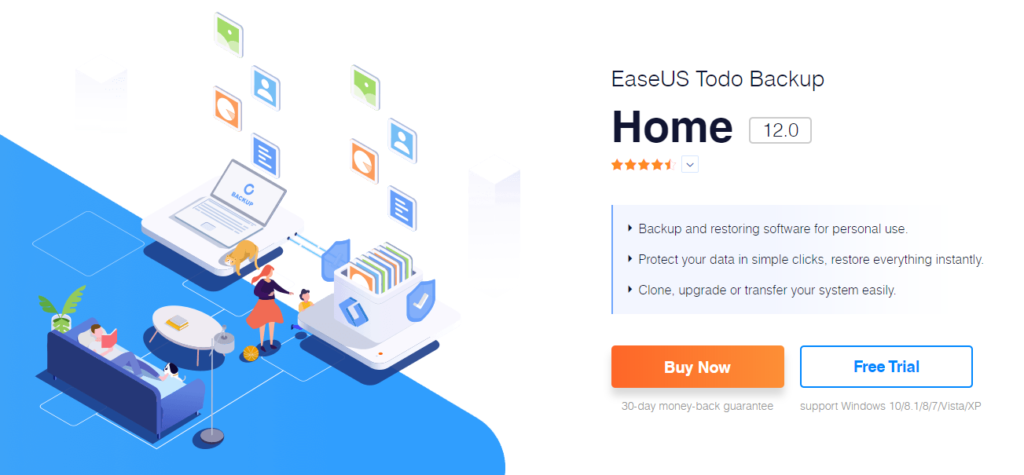
With the advent of the information age, the pace of computer hardware updates is becoming faster and more frequent, especially after the popularity of mobile devices, the opportunities for replacing devices and replacing software OS are also increasing. Therefore, the “back up” seems to be more important than ever. The data backup software market is vast, and here is how we can help you to pick a fast, accurate, simplified and reliable software- EaseUS Todo Backup Home (資料備份軟體).

▲ After the installation, the main screen is clear and simple, toolbar is located on the left of menu bar.

▲Disk/Partition backup allows users to select the partition that needs to be backed up and which disk to save to.

▲ At the bottom of left corner, there is also a backup plan function that allows users to make adjustable backup plans based on users’ preferences. If the data is constantly changing, it is recommended to set up a backup every half an hour, and perform a full backup every 7 days, and try to cultivate a consistent habit to do the backup.

▲ System backup, the main function is for backing up the operating system and user settings, which can restore your computer when it crashes, and make an automatic backup plan for your computer.

▲ Try to back up your important files regularly, which can significantly reduce the risk of losing important information.

▲ Disk/Partition Clone: Copy the existing system to the desired disk location so the OS can be transferred.

It also provides e-mail backup, which is simple to use even for those who has little knowledge of using a computer. It won’t be interrupted while the system is operating.

To sum up, if you’re looking for the software that can backup your important data, system, and so on; EaseUS Todo Backup is worth a shot.